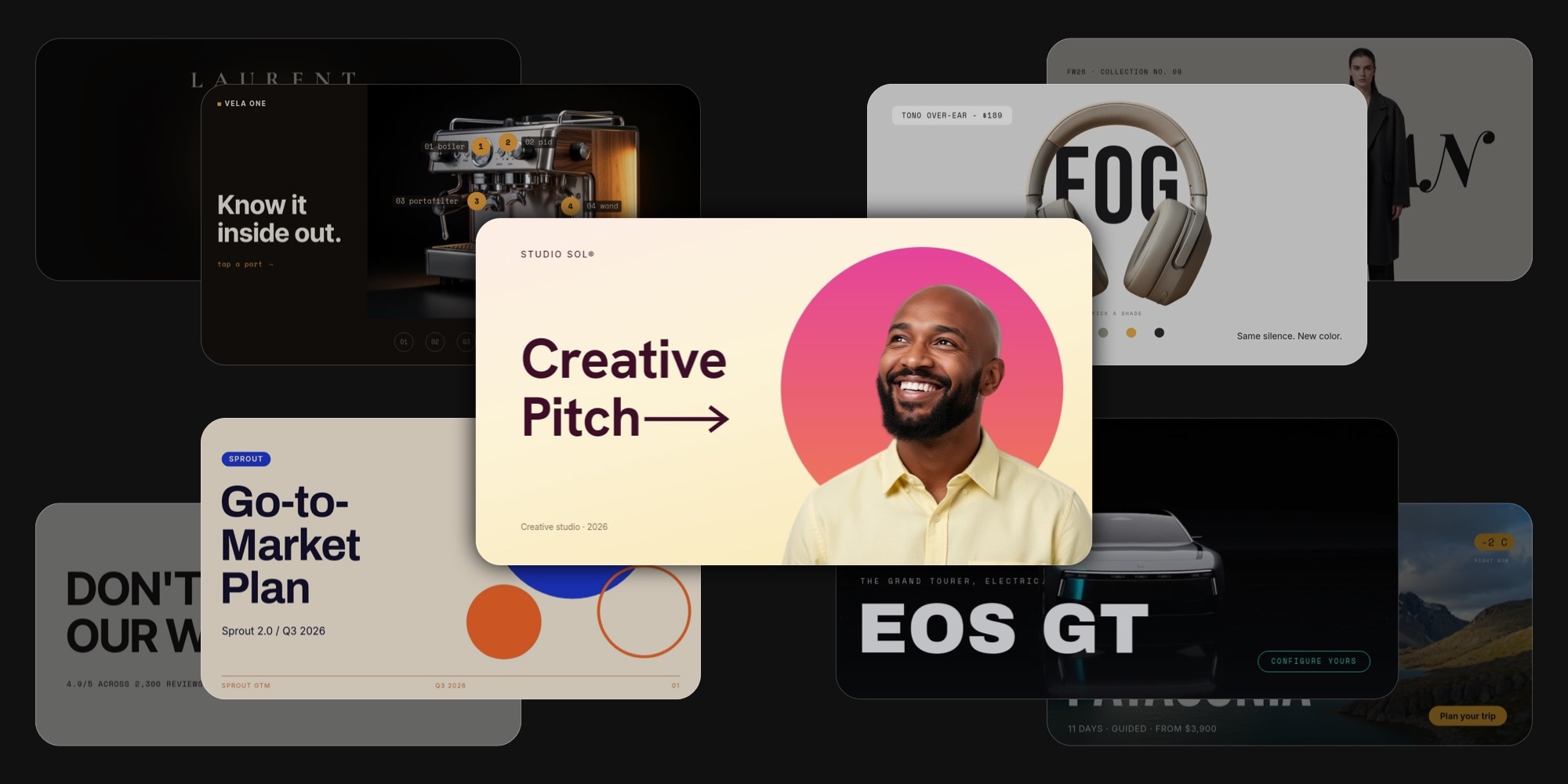
50 New PaneFlow Templates: Interactive Widgets, Website Sections, Pitch Decks and More
This is the biggest template drop in PaneFlow history. 50 new templates, shipping alongside PaneFlow v2. They take the catalog from 80 to 130, and they cover three things people kept asking for: interactive widgets, website sections you can export as code, and a deep bench of presentation decks, portfolios, and product pages.
The headline is a brand-new kind of template. For the first time, some of these are interactive - click-driven tabs, hotspots, pickers, and branching paths, not auto-playing slideshows. The visitor drives. Nothing in the catalog could do that before v2.
Every template is a real starting point: a complete narrative, considered typography, intentional motion, and a clear voice. None of them are "blank deck with a pretty cover." Open one, swap your content in, and ship inside an hour.
We won't walk through all 50 in detail. Here are the standouts up front, then a clean by-category index so you can jump to whatever fits.
#The Standouts
Nineteen templates that show off the range best. Click any to open the full template page.
#Tabbed Feature Showcase
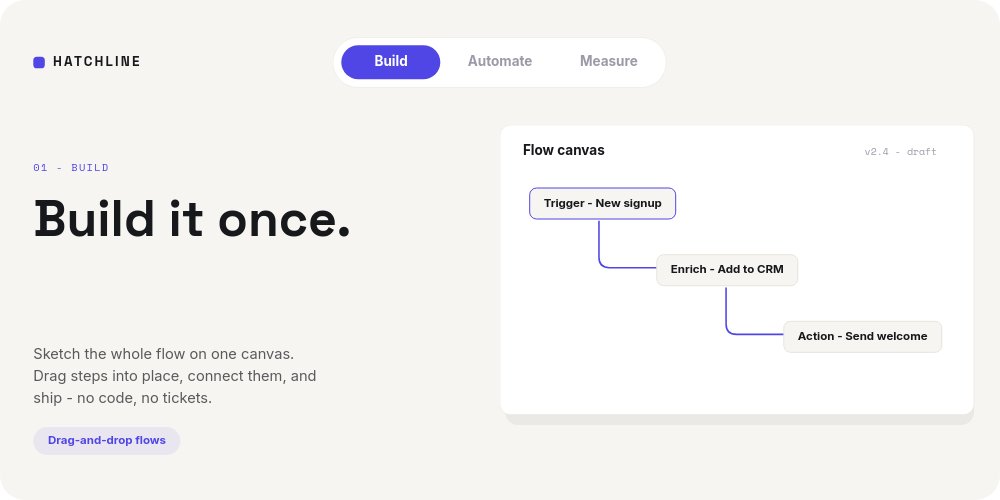
A click-driven feature section with real tabs and active states. Visitors pick the feature they care about and the panel swaps in place - no auto-advance, no scrubbing. Embed it under your product nav and let people explore. This is the kind of template that simply did not exist in PaneFlow before v2.
#Hotspot Product Tour
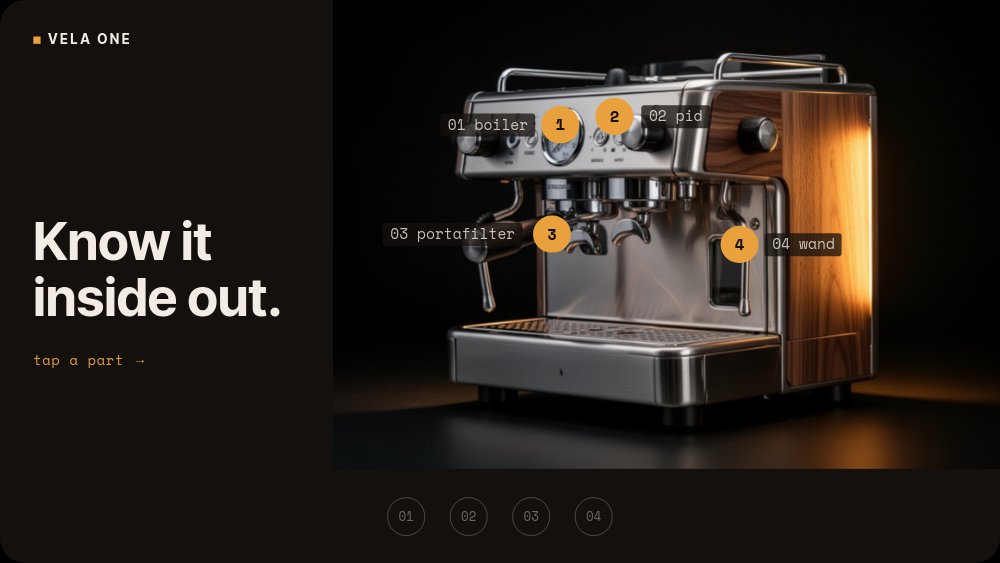
Pulsing hotspot dots layered over a product shot. Tap a dot, jump to that feature's detail pane, tap back. The interaction model e-commerce and hardware brands have wanted for years, built entirely from blocks and click actions.
#Colorway Picker
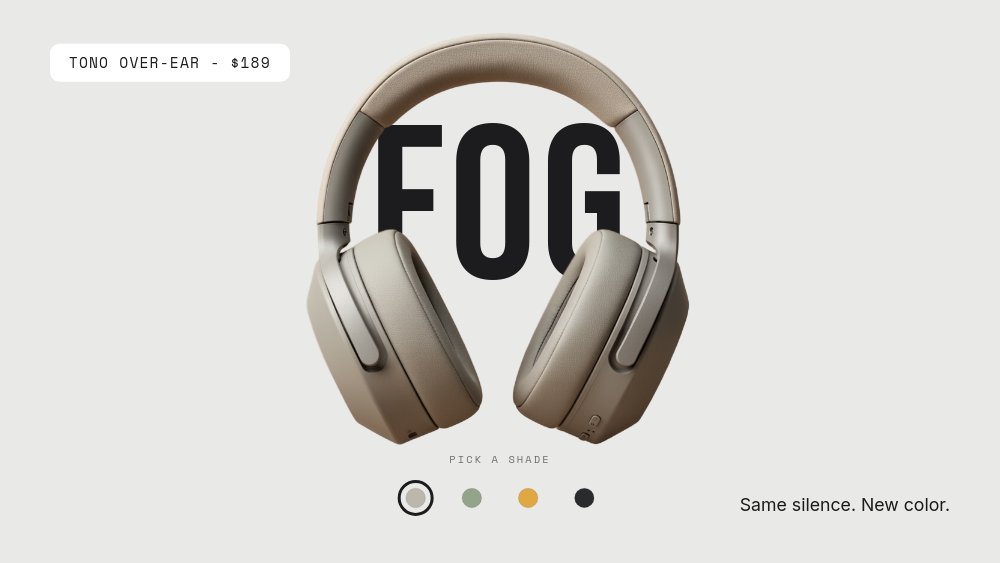
An interactive swatch picker - tap a color and the product updates to match. A real product configurator widget, built from click actions with no code behind it. Drop it on a PDP and let shoppers try every colorway.
#Restaurant Menu Tabs
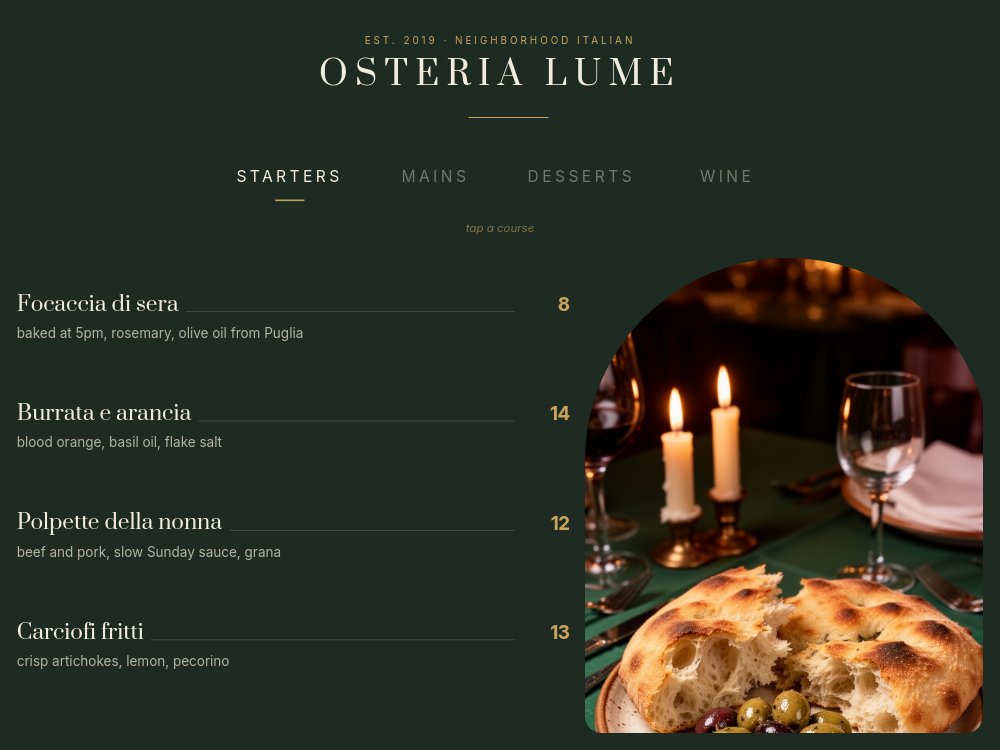
An interactive menu with category tabs - Starters, Mains, Dessert - that swap in place when tapped. A real digital menu widget for a restaurant site or a screen by the door, no auto-advance fighting the reader.
#SaaS Hero - Kinetic Type
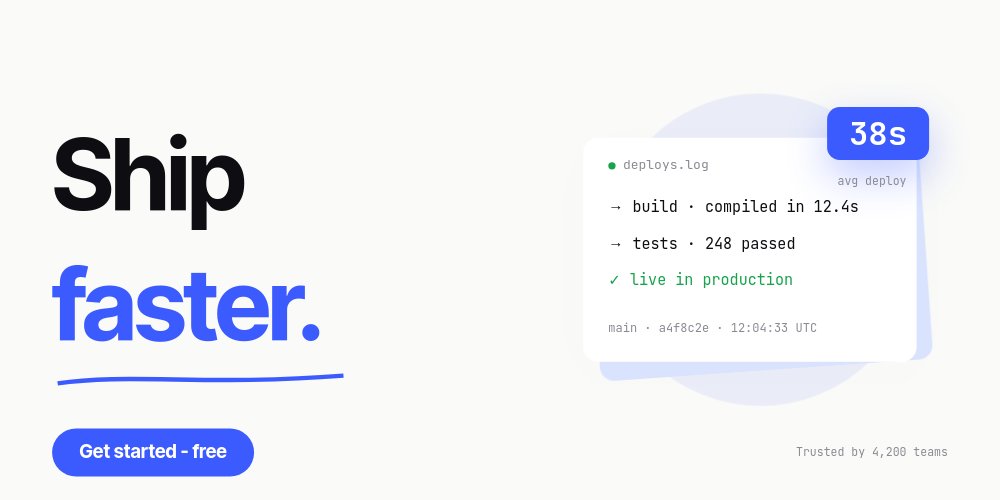
A full-width 2:1 hero built to sit at the top of a real landing page. Kinetic typography and a typewriter reveal carry the headline, loop seam back to pane one so it runs forever. Export as code and drop it straight under your navbar.
#Fashion Hero - Editorial Lookbook
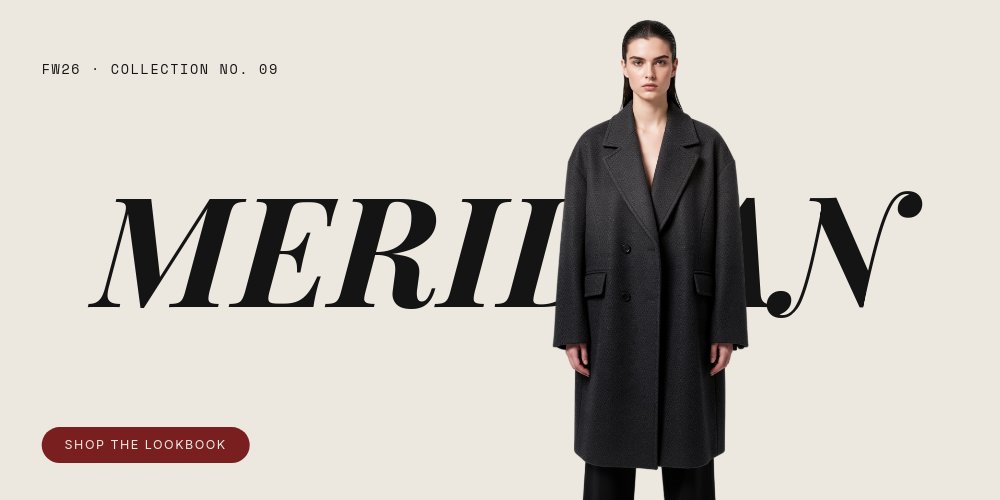
A full-width editorial lookbook header for fashion and apparel. Magazine-grade type over full-bleed photography, looping forever under your site nav. The header a brand uses when the clothes are the story.
#Travel Hero - Destination Slides
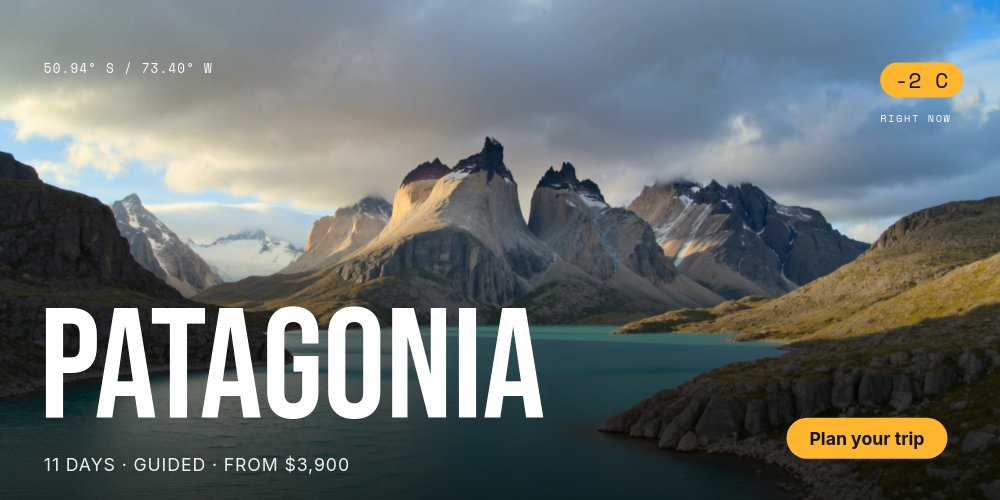
A cinematic travel header rotating through destinations. Full-bleed imagery and slow, drifting motion built to make people want to book. Pairs with a persistent CTA on every pane.
#Luxury Product Hero - Dark Spotlight
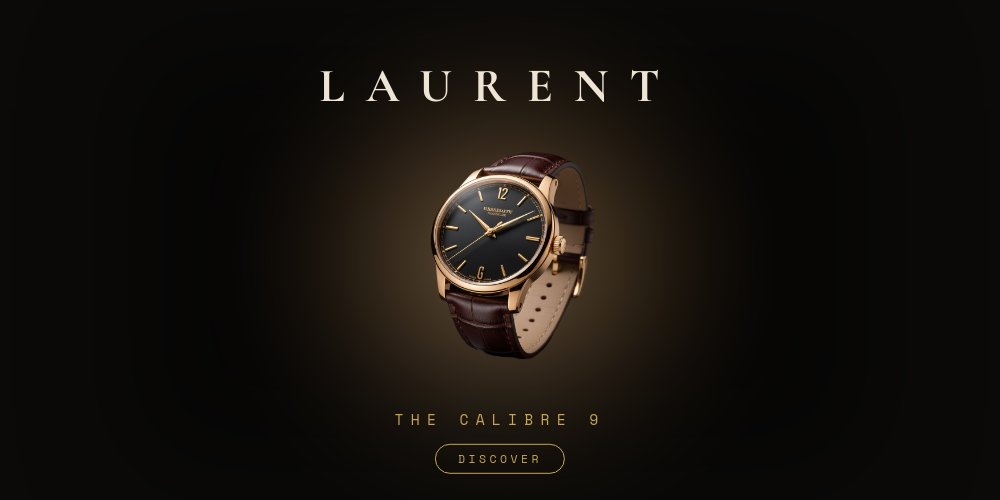
A dark, spotlit product hero on a pure black canvas. Restrained motion, single product, maximum focus. The header for a brand that wants to feel expensive.
#Stats Band - Number Roll Strip

A short, full-width 3:1 metrics band where every number rolls up on entry. Drop it between sections of a marketing site to make traction, funding, or usage stats land. number-roll motion is the whole point, and it is the kind of thing competitors cannot do.
#Feature Tour - SaaS Section
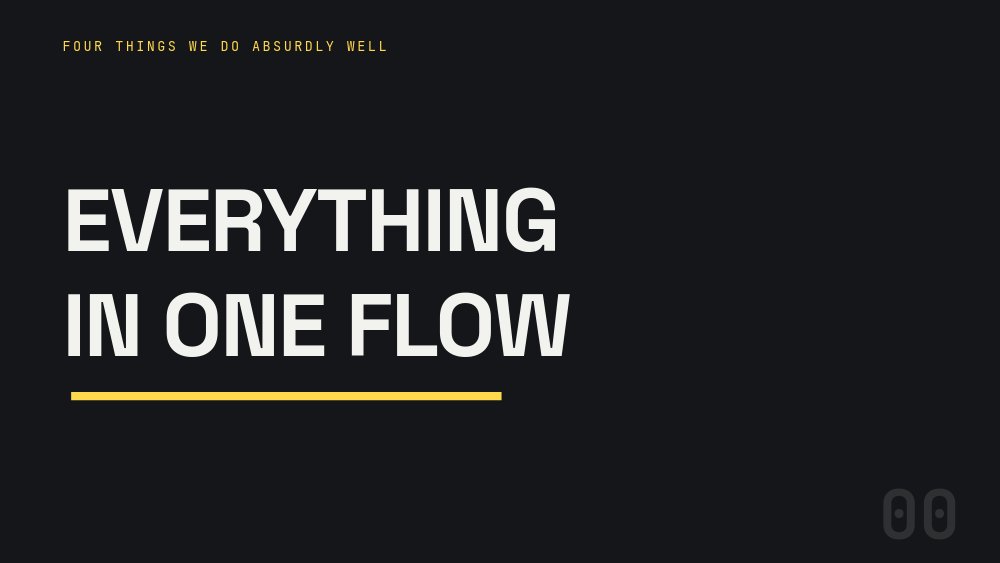
A sequenced feature walkthrough for product sites. Each feature enters in turn, the section loops, and it drops straight under your landing-page hero. A clean way to show what your product does without a wall of text.
#Testimonials Band - Pulled Quotes
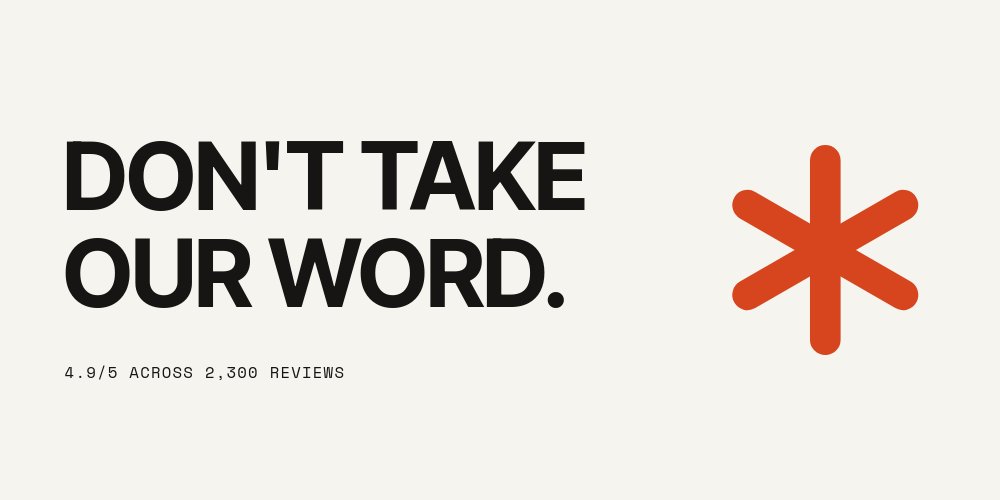
A rotating band of pulled customer quotes for social proof. Embed it between sections of a marketing site and let your best testimonials carry the weight, one confident quote at a time.
#Automotive Showcase - Spec Cinema
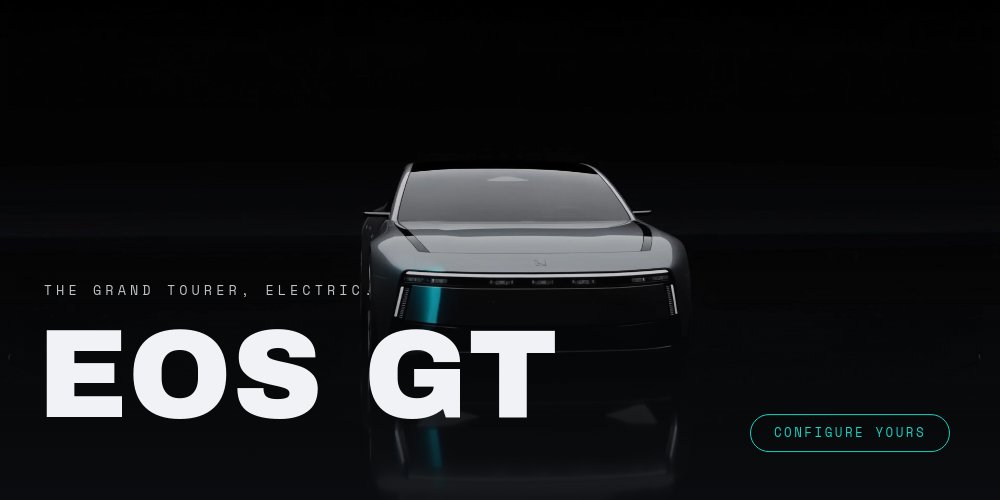
Cinematic spec callouts drawn on with animated annotation lines. Built for cars, hardware, and anything where the specs are the story. Slow, premium pacing, full-bleed imagery.
#Furniture Story - Interior Editorial
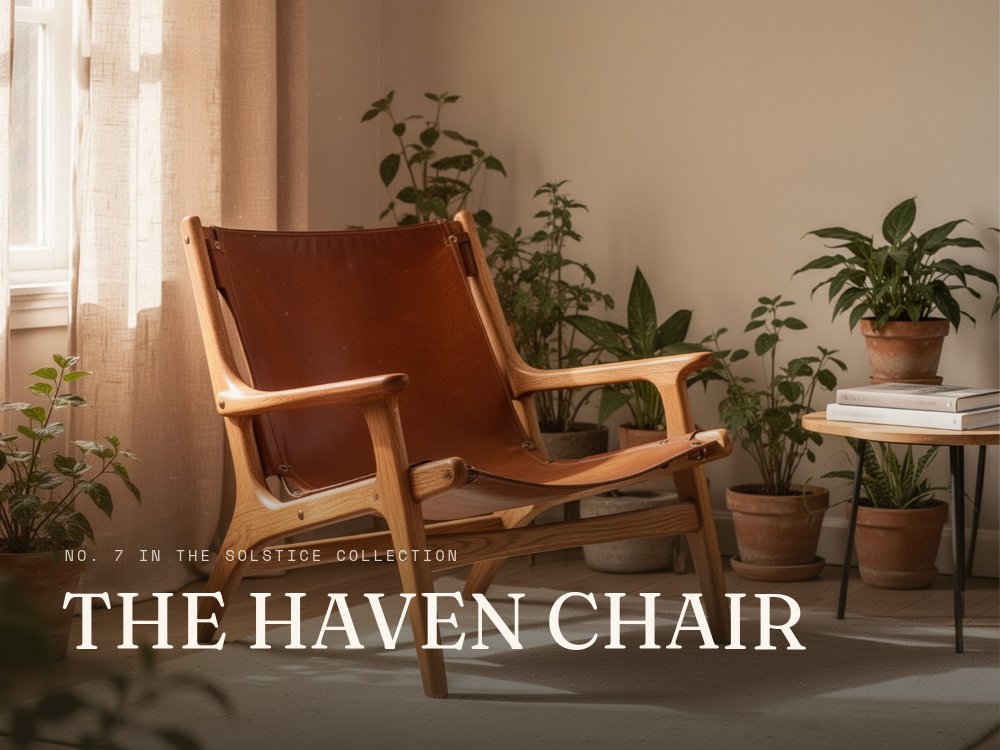
An editorial furniture and interior showcase with warm, magazine-style pacing. Built for design-led product brands that want the section to feel curated rather than catalogued.
#Consumer Brand Pitch - Linen Serif
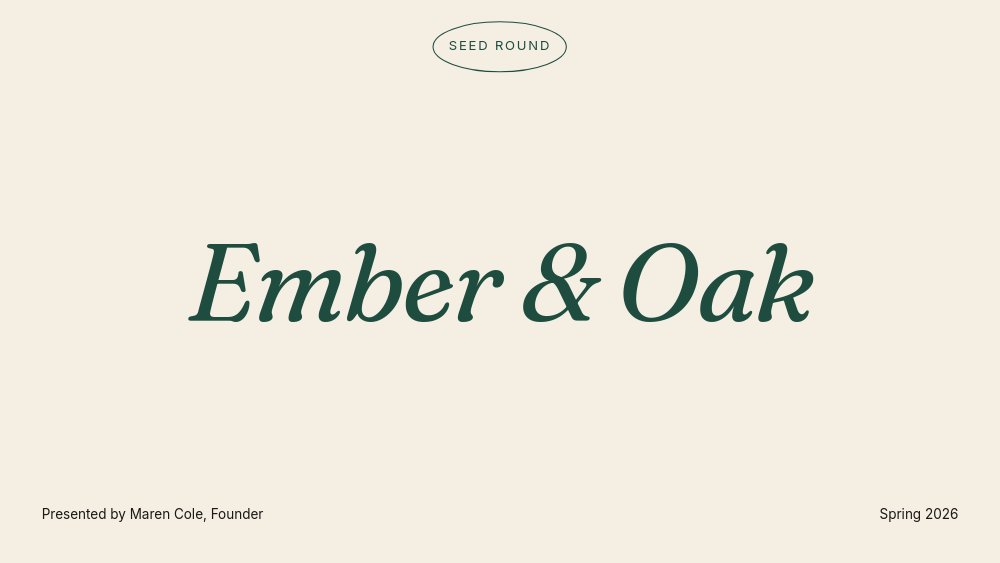
A warm linen-and-serif pitch deck for consumer and lifestyle brands. Eight panes of real content, tuned for investors who care about brand and unit economics as much as ARR slides.
#Go-to-Market Plan - Tangerine Pop
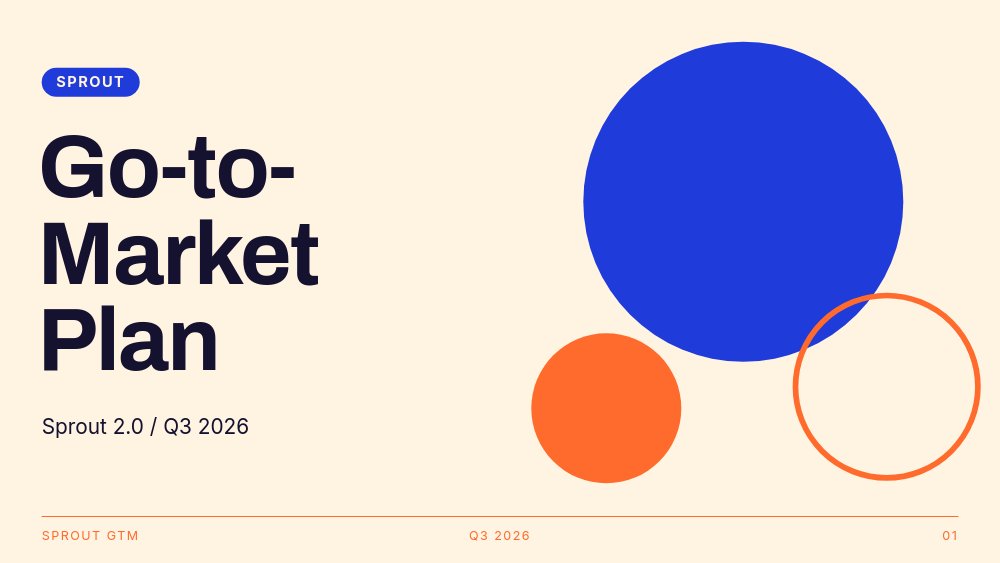
A punchy go-to-market plan deck in tangerine and cobalt. Channels, timeline, and targets laid out with confident motion - the internal deck people actually finish reading.
#Creative Pitch - Warm Gradient

A warm-gradient creative pitch deck for studios and freelancers. Soft color, bold type, and a confident narrative arc from intro to the ask. Built to feel like the work of the studio pitching it.
#Developer Portfolio - Terminal Mono

A monospace, terminal-styled portfolio for developers. Reads like a well-designed README, built to embed as a section on your personal site or export as a standalone page.
#Web Designer Portfolio - Site Reel
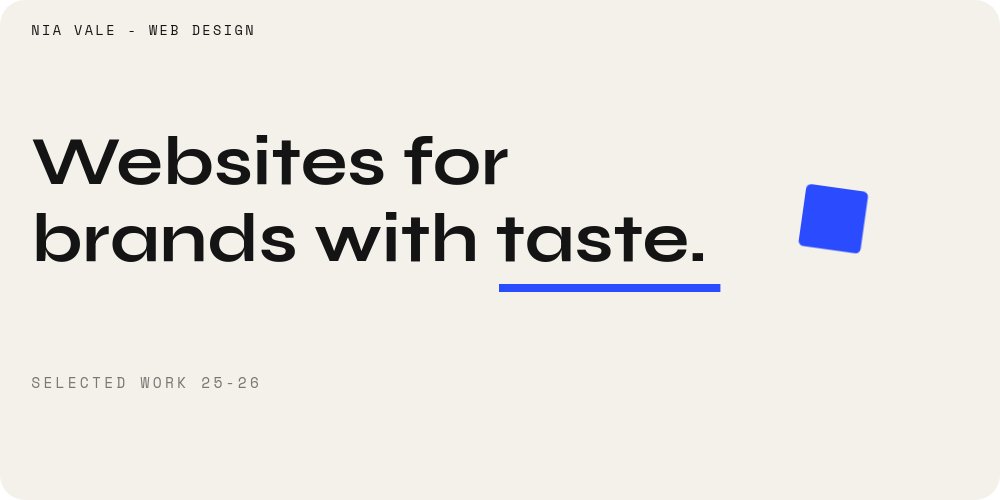
A wide site-reel portfolio for web and brand designers. Your best work scrolling past at hero proportions, ready to embed on your own site or send as a link.
#Motion Designer Showreel - Hard Cuts
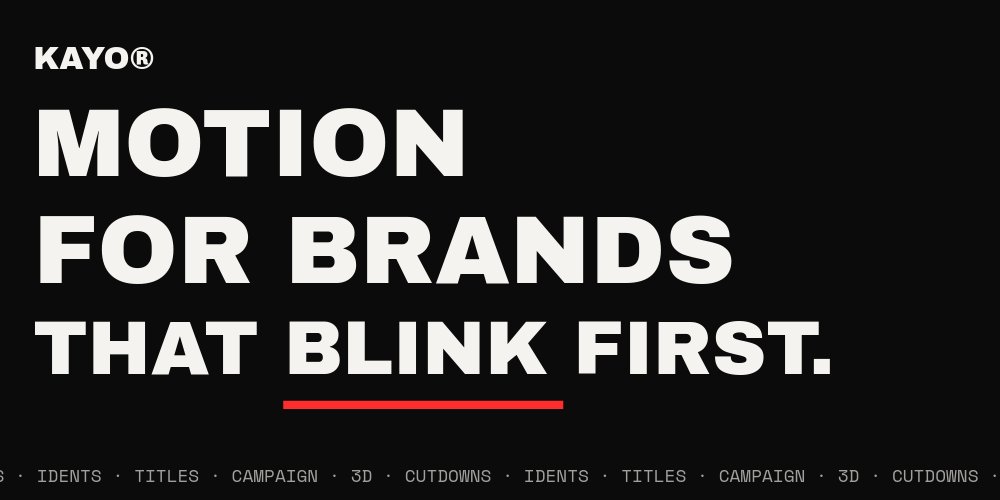
A hard-cut showreel for motion designers, paced like an actual reel. Punchy transitions that prove you understand timing before a single word is read.
#Browse the Full Drop
Fifty templates is a lot. Here is the complete list, grouped by use case, with a one-line hook on each so you can scan fast and click the one that fits.
#Interactive Widgets (7)
The signature of this drop. Click-driven templates with autoplay off - the visitor navigates by tapping tabs, hotspots, swatches, and answers. Brand new to PaneFlow with v2.
- Hotspot Product Tour - Tappable hotspot dots over a product shot, each jumping to a feature detail.
- Tabbed Feature Showcase - Real feature tabs with active states that swap the panel in place.
- Colorway Picker - A swatch selector that switches the product color on click.
- Restaurant Menu Tabs - Category tabs for a digital menu, swapping sections on tap.
- Property Tour - Room Picker - A room grid that navigates to each space's detail view.
- Choose-Your-Path Quiz - A branching quiz that routes each answer to a different outcome.
- Onboarding Walkthrough - Steps - A step-by-step guided tour the visitor clicks through.
#Website Heroes (8)
Full-width hero headers, mostly 2:1, built to sit at the top of a real landing page under your own navbar. Loop forever, with a CTA anchored on every pane.
- Fashion Hero - Editorial Lookbook - An editorial lookbook header for fashion and apparel brands.
- SaaS Hero - Kinetic Type - Kinetic typography and a typewriter reveal for software landing pages.
- Agency Hero - Marquee Screamer - A loud marquee-and-display-type header for creative studios.
- Restaurant Hero - Cinematic Appetite - Cinematic food photography for restaurant and hospitality sites.
- Architecture Hero - Slow Drift - A slow, drifting header for architecture and interior studios.
- Luxury Product Hero - Dark Spotlight - A dark, spotlit single-product header for premium brands.
- Travel Hero - Destination Slides - Rotating destination imagery for travel and tourism brands.
- Event Hero - Countdown - A conference header with a number-roll countdown to the date.
#Site Sections and Showcases (12)
Embeddable bands, galleries, and product showcases that drop between sections of a marketing site. Export as code, autoplay and loop.
- Feature Tour - SaaS Section - A sequenced feature walkthrough section for product sites.
- Team Carousel - Cutout Portraits - A team band with cutout portraits and rolling names.
- Testimonials Band - Pulled Quotes - A rotating pulled-quote band for social proof.
- Before / After - Transformation Slider - A before-and-after reveal for results and case studies.
- Stats Band - Number Roll Strip - A full-width metrics strip with number-roll on every stat.
- Product Page Gallery - E-commerce - A square product gallery for an e-commerce PDP.
- Sneaker Drop - Colorway Rotator - A colorway rotator for sneaker and apparel drops.
- Furniture Story - Interior Editorial - An editorial furniture story for interior brands.
- Automotive Showcase - Spec Cinema - Cinematic spec callouts with drawn-on annotation lines.
- Portfolio Strip - Work Showcase - A horizontal work strip for agencies and studios.
- Photography Gallery - Fullscreen Museum - A fullscreen museum-style photo gallery.
- Mobile App Showcase - 3D Device - A rotating 3D device mockup running your app screens.
#Presentation Decks (11)
A fresh set of 16:9 decks - pitch decks, proposals, strategy and internal decks, each rebuilt with real content and our motion vocabulary.
- Startup Pitch - Soft Gradient Rounds - A soft, modern startup pitch with rounded containers.
- Consumer Brand Pitch - Linen Serif - A warm linen-and-serif deck for consumer brands.
- Creative Pitch - Warm Gradient - A warm-gradient creative pitch deck for studios and freelancers.
- Agency Pitch - Brutalist Crimson - A bold brutalist pitch for agencies that want to stand out.
- Company Culture - Pastel Rounds - A friendly culture and values deck in soft pastels.
- Agency Proposal - Gradient Italic - A client proposal with gradient panels and italic display type.
- Content Strategy - Forest Neon - A forest-and-neon content strategy deck for marketing teams.
- Hiring 101 - Cedar Workshop - A workshop-style hiring and training deck.
- Travel Packages - Midnight Editorial - A midnight editorial deck for travel packages and tours.
- Go-to-Market Plan - Tangerine Pop - A punchy go-to-market plan deck in tangerine and cobalt.
- Personal Portfolio - Monochrome Amber - A monumental monochrome portfolio deck with amber accents.
#Portfolios (6)
Maker, designer, and developer portfolios built to embed as a website section or export as a standalone page.
- Indie Maker Portfolio - Product Shelf - An interactive product shelf for indie makers, click to explore each project.
- Web Designer Portfolio - Site Reel - A wide site-reel portfolio for web and brand designers.
- Mobile App Portfolio - Device Trio - A device-trio showcase for app designers and studios.
- Developer Portfolio - Terminal Mono - A monospace terminal-styled portfolio for developers.
- Motion Designer Showreel - Hard Cuts - A hard-cut showreel for motion designers.
- Freelancer One-Pager - Warm Editorial - A warm one-page portfolio for freelancers.
#Product Detail Pages (6)
PDP galleries you embed directly on a product page - extra shots, spec callouts, and feature stories, swipe-friendly and looping.
- Tech Gadget PDP - Spec Callouts - A gadget PDP gallery with animated spec callouts.
- Fashion PDP - Fabric & Fit - A tall fashion PDP focused on fabric and fit details.
- Skincare PDP - Ingredients - A skincare PDP built around the ingredient story.
- Coffee PDP - Origin Story - A coffee PDP telling the origin and roast story.
- Furniture PDP - Dimensions - A furniture PDP with dimension and material callouts.
- Watch PDP - Macro Luxe - A luxury watch PDP built around macro detail shots.
#What's New About This Drop
Three things make this batch different from anything before it.
First, interactivity. The seven interactive widgets (and the indie maker portfolio) are driven by clicks, not a timer. Tabs, hotspots, pickers, room selectors, and branching quizzes all run on PaneFlow's click actions, and they work everywhere - in the editor, on a share link, and in every export format. No code, no custom JavaScript.
Second, website sections. A big share of this drop is built to be embedded under your own site nav, at real hero proportions, looping forever. These are meant to be exported as code and dropped into a live site, not just presented.
Third, motion you cannot fake elsewhere. number-roll counters, drawn-on annotation lines, 3D device mockups, kinetic type - the features that make a PaneFlow template feel alive are all over this batch, and they survive export.
#How to Start
- Open the template gallery and pick one. The new categories sit at the top.
- Click "Use Template" to open it in the editor.
- Swap text, images, and palette. The voice is built in - lean into it instead of fighting it.
- Export as HTML, video, PDF, or publish to a CDN link. The interactive templates keep their click actions in every format.
#Related
- Introducing PaneFlow v2 - everything new in this release
- Browse all PaneFlow templates
- Build slideshows with AI agents - our new MCP server
- PaneFlow for Startups - pitch decks and launch slideshows
- PaneFlow for Marketers - heroes, sections, and product showcases
- PaneFlow for Agencies - proposals, portfolios, and case studies
- PaneFlow for E-commerce - product pages and interactive widgets
Don't Miss What's Next
Get updates, design tips, and sneak peeks at upcoming features delivered straight to your inbox.







