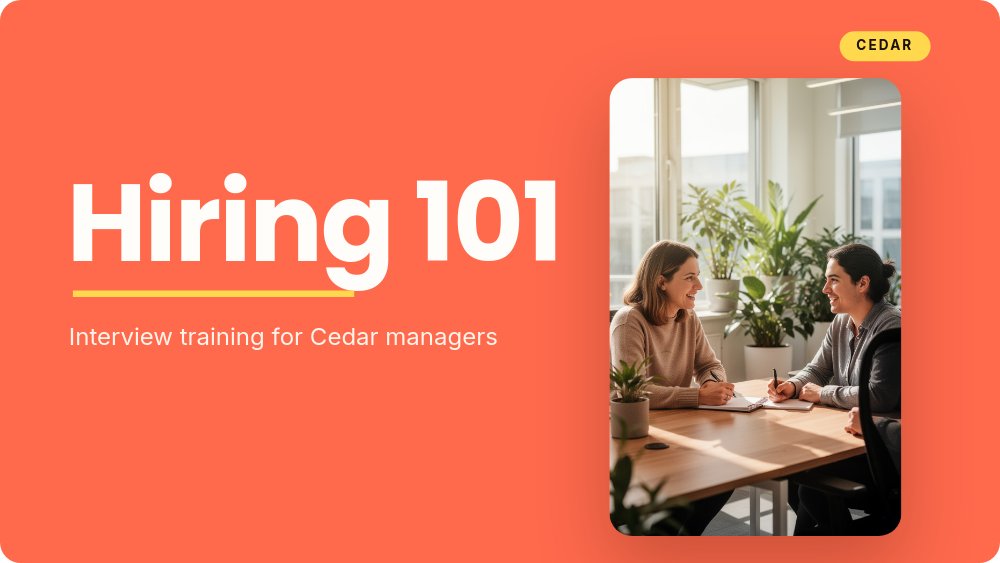
Hiring 101 - Cedar Workshop Template
A workshop deck for the day someone has to teach hiring managers how to interview. Eight coral panes with lemon pill labels, Poppins headlines that get a drawn yellow underline as each section opens, and exactly one rule of motion: pills and dots pop in, nothing loops, because it is a training room and not a billboard. The content ships as "Hiring 101" for a fictional company called Cedar - pipeline, signals, questions, scorecards - but the skeleton underneath is any how-to training you will ever run. Present it full-screen in the browser, export to PDF for the leave-behind, and render to video for the recording.
#What Makes This Template Stand Out
The drawn underline is the deck's heartbeat. Every headline - "Hiring 101", "What we'll cover", "The pipeline", "Better questions", "Go hire someone great." - gets the same lemon stroke drawn beneath it as the pane enters, so every section opens with the identical small ceremony. It is the kind of one-gesture consistency that makes a deck feel authored, and it redraws live in the browser on every pane.
The lemon pill is the workhorse block. It is the agenda on pane 2 - four pills naming the four sections - then it returns as the answer options in the exercise, the contact chip in the wrap-up, and the CEDAR badge in every top corner. Because agenda items and section content share one geometry, the deck teaches its own navigation: you see the pill, you know where you are.
The lesson panes argue in pairs and rubrics, not paragraphs. "Reading signals" stacks four rows tagged SIGNAL or NOISE - "Asks how the team actually works" versus "Only wants the title and the perks" - and "Deciding fairly" lays out four white scorecard cards (Craft, Communication, Ownership, Growth) with a one-line rubric each, under the instruction "Score the craft, not the vibe." The pale-peach exercise pane in between turns the room from audience into participants for five minutes.
- Coral and pale-peach pane system: coral to teach, peach when the room does the work
- Lemon draw-underline on every Poppins headline, redrawn as each pane enters
- Five-dot pipeline flow - Source, Screen, Interview, Debrief, Offer - on a drawn line
- SIGNAL and NOISE tagged rows that teach judgment in paired one-liners
- Built-in "Try it" exercise pane with a candidate quote, three answer pills, and a discuss chip
- 8-pane 16:9 arc: cover, agenda, pipeline, signals, questions, exercise, scorecard, wrap-up
#Who Should Use This Template
- People-ops teams training new hiring managers before they sit in their first interview loop. The content is ready to teach as-is - rename Cedar, update the email, and run the session this week.
- Team leads running internal workshops of any kind who need a deck that keeps energy up without tipping into kindergarten. Bold sans, saturated coral, and zero looping motion is the friendly-not-childish balance.
- L&D and enablement folks building a repeatable training library. Duplicate the deck per topic and the underline-plus-pill system keeps every course recognizably one family.
- Founders doing first-time manager training at companies too small for an L&D function. The scorecard pane alone - four criteria, one line each - upgrades most startups' hiring decisions.
#Best Use Cases
#Interview Training for Hiring Managers
Run the session exactly as shipped: the pipeline pane shows how a candidate moves from hello to hired in five dots, "Reading signals" trains judgment with signal-versus-noise pairs, "Better questions" gives three numbered techniques with example lines ("Tell me about a launch that slipped."), and the exercise pane hands the room a real scenario to argue about. The wrap-up compresses the hour into three takeaway lines and a contact pill.
#Reusable Workshop Skeleton for Any Topic
Strip the hiring words and the structure remains: agenda pills, a process flow, a paired-comparison lesson, numbered tips, a discussion exercise, a criteria framework, a wrap-up. Sales onboarding, code review norms, incident response, customer escalations - if it can be taught in 60 minutes, it fits these eight panes. The peach "exercise mode" background convention survives every topic swap.
#Async Training and Onboarding Libraries
Not everyone attends the live session. Render the deck to video for the onboarding playlist, export to PDF for the searchable reference doc, and keep the published link in the manager handbook. Because the deck was designed without looping animations, the video export reads calmly at recording pace.
#How to Customize This Template
- Open PaneFlow and select "Hiring 101 - Cedar Workshop" from the template gallery
- Retitle the cover - your training name over the drawn underline, your subtitle, your company chip in place of CEDAR - and swap the cover photo
- Rename the four agenda pills on "What we'll cover" to your session's sections
- Edit the five pipeline dots and their one-liners to match your actual hiring stages, or repurpose the flow for your own process
- Rewrite the SIGNAL and NOISE rows on the signals pane with the judgment calls your interviewers actually face
- Update the three numbered techniques and their example lines on "Better questions"
- Replace the exercise prompt, the three lemon answer pills, and the discussion timer chip with your own scenario
- Edit the four scorecard cards and rubric lines, rewrite the wrap-up takeaways and contact pill, then present in the browser, export to PDF, or render to video
#Related Templates
- Company Culture - Pastel Rounds - the "who we are" deck for the people these managers will hire
- Hiring Announcement - Square - the social announcement for the roles this training fills
- Course Intro - Curriculum - a curriculum-first layout for longer, multi-session programs
- Startup Pitch - Soft Gradient Rounds - the same rounded warmth pointed at investors
#Related Resources
- PaneFlow for Educators - training decks, course intros, and classroom material with motion that aids attention
- PaneFlow for Startups - the internal decks growing teams need, from culture to training
- PaneFlow vs Google Slides - why animated, designed decks beat default slides for training
Start with Hiring 101 - Cedar Workshop
Open this template in PaneFlow, customize it to match your brand, and export as HTML, React, Vue, or video.







