Team Carousel - Cutout Portraits Template
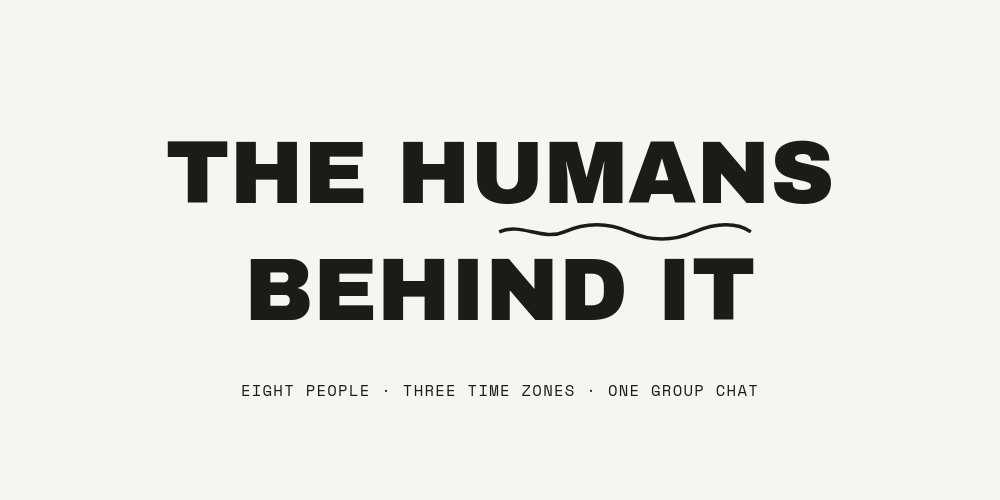
A meet-the-team band for agency, startup, and studio sites that treats each person like a magazine profile instead of a grid cell. Five panes in 2:1: a warm-paper header, three teammates - each on their own pastel pane with their first name gigantic behind them and a handwritten annotation pointing at their head - and a hiring close where a dashed silhouette holds the spot for the next hire. It exports as code and drops into your site as a section.
#What Makes This Template Stand Out
Each person owns a whole pane, color and all. Maya stands on peach with "MAYA" in tone-on-tone Archivo Black behind her shoulders, Jonas gets sage, Priya gets lilac - the name rendered in a deeper shade of each pane's own pastel so the type reads as part of the room rather than a label on it. The background snap between pastels is the band's rhythm, and the waist-up cutouts pierce their names the way cover stars pierce a masthead.
The annotations are where the personality lives. A handwritten Caveat note floats beside each person with a thin arrow that draws itself toward them: "has opinions about kerning" for the creative director, "deploys on Fridays. fearless." for engineering, "asks the question everyone was avoiding" for strategy. Role and city sit separately in a black mono chip - "CREATIVE DIRECTOR · LISBON" - so the facts stay deadpan while the marginalia does the joking.
The band ends by recruiting. The closing pane ghosts "YOUR NAME / HERE?" behind a person-shaped silhouette drawn in a dashed stroke, annotated "(this could be you)" with the same handwritten arrow, over "5 OPEN ROLES · REMOTE FRIENDLY" and a "See open roles" pill. The header sets this up from the start: "THE HUMANS / BEHIND IT" with the mono meta "EIGHT PEOPLE · THREE TIME ZONES · ONE GROUP CHAT".
- Per-person pastel theming: peach, sage, and lilac panes with tone-on-tone giant names
- Cutout-pierces-type portraits landing with a pop after each name settles
- Handwritten Caveat annotations with draw-on arrows: "has opinions about kerning"
- Black mono role chips pinning the facts: "ENGINEERING · BERLIN", "STRATEGY · MUMBAI"
- Dashed-silhouette hiring close with "(this could be you)" and a See open roles pill
- 5-pane 2:1 website section exporting to clean HTML, React, Vue, or Svelte
#Who Should Use This Template
- Agencies and studios whose about page is the deal-closer. Clients hire the people, and this band introduces them with more charm than a grid of LinkedIn squares.
- Startups recruiting while they build - the hiring close turns every visitor who scrolled through the team into a candidate looking at an open chair.
- Remote and distributed teams - the role chips carry cities (Lisbon, Berlin, Mumbai) and the header meta counts time zones, making the spread a feature instead of a footnote.
- People and employer-brand teams who need a careers-page asset that feels human. The annotation system says more about culture than a values list ever has.
#Best Use Cases
#Team Section on an Agency or Studio Site
Export to HTML, React, Vue, or Svelte and mount the band where the headshot grid currently sits. Autoplay walks visitors through the pastel panes one person at a time, names entering letter by letter and annotations writing in last, and the whole section stays editable in PaneFlow when someone joins or changes roles.
#Careers Page Opener
Lead the careers page with the band and let the hiring close do the call to action - "See open roles" wires straight to your job board. The sequence sells the colleagues before the job description, which is the order candidates actually decide in.
#New-Hire Announcements on Social
Each profile pane is a self-contained introduction: pastel field, giant name, cutout, role chip, one handwritten line. Duplicate the skeleton for a new teammate, export that pane as video or an image, and the welcome post matches the team section on your site.
#How to Customize This Template
- Open PaneFlow and select "Team Carousel - Cutout Portraits" from the template gallery
- Rewrite the header: keep "THE HUMANS / BEHIND IT" or rename it, and update the mono meta with your headcount, time zones, and group-chat joke
- Replace Maya's pane: swap the peach-pane cutout for your teammate's background-removed portrait, change the giant name, and edit the "CREATIVE DIRECTOR · LISBON" chip
- Rewrite her annotation - keep it four to six words so the Caveat stays legible at band scale
- Repeat for the sage and lilac panes (Jonas and Priya), keeping each name tone-on-tone with its background
- Duplicate a profile pane for each additional teammate, picking a new pastel and a deeper shade of it for the name
- Update the hiring close: your open-role count, the "(this could be you)" note if you want a different gag, and the "See open roles" link
- Export to HTML, React, Vue, or Svelte and drop the section into your about or careers page
#Related Templates
- Company Culture - Pastel Rounds - the same pastel warmth applied to values and culture instead of faces
- Testimonials Band - Pulled Quotes - cutouts and giant type turned on your customers instead of your team
- Feature Tour - SaaS Section - another full-width site section in the same export-as-code workflow
- SaaS Hero - Kinetic Type - a hero band to anchor the same site the team section lives on
#Related Resources
- PaneFlow for Startups - team pages, culture decks, and hiring assets from one tool
- PaneFlow for Agencies - about pages and client-facing sections with editorial polish
- PaneFlow for Webflow - embed exported PaneFlow sections in your Webflow site
Start with Team Carousel - Cutout Portraits
Open this template in PaneFlow, customize it to match your brand, and export as HTML, React, Vue, or video.







