Feature Tour - SaaS Section Template
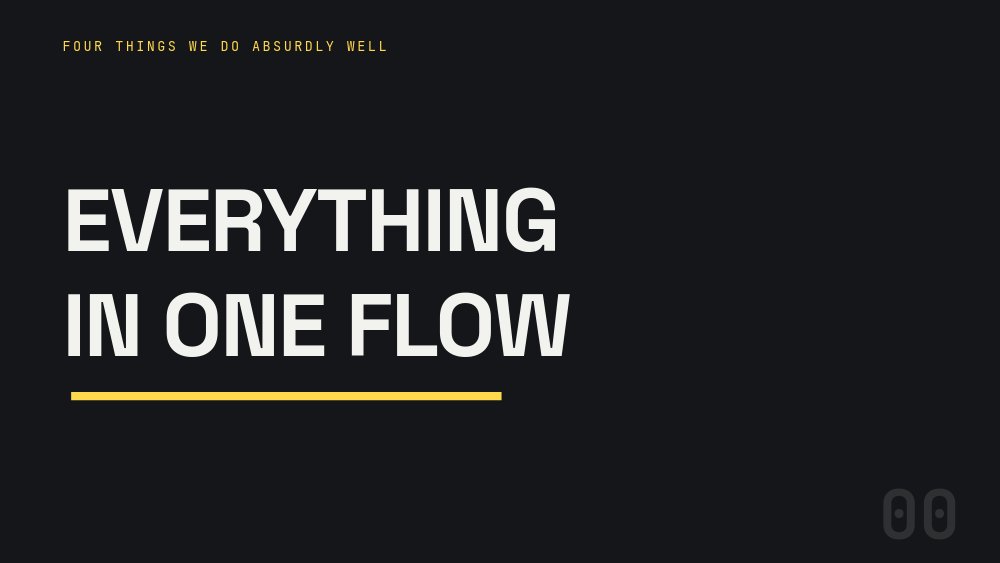
The features section of a SaaS site, treated as four chapters instead of a grid of icons. Six panes of charcoal: a section header, four feature beats - each pairing a benefit headline with a glowing built-UI card - and a closing punch that recaps the chapter numerals and lands the CTA. One signal-yellow accent, JetBrains Mono chapter chips, and not a single screenshot in the file.
#What Makes This Template Stand Out
The chapter numerals turn a feature list into a progression. A giant ghosted mono numeral holds the bottom-right corner of every pane at the exact same position, rolling 01, 02, 03, 04 as the tour advances, while a small chip names each chapter: "02 / REVIEW", "03 / SYNC", "04 / SHIP". The close recalls all four digits in a row above "AND IT'S FAST." and the line "Drafts, reviews, sync, deploys. One flow." - the section literally counts itself.
Every product card is built UI, not a screenshot. The review chapter shows an auto-review card with red and green diff rows ("- waits for human eyes", "+ approves the boring parts") resolving into "review passed · 0 nits" with a yellow check. Sync shows two mini frames with a yellow dot pulsing between them under "// live-sync". Ship shows "$ git push origin main", a yellow progress bar, "deploying... 38s", and a green "LIVE · v4.2.1" row. All of it is editable text and shapes.
The copy formula keeps every beat tight. Each chapter is a benefit verb phrase in Space Grotesk - "Branch without fear.", "Reviews that review themselves.", "Everyone sees now, now.", "Ship on a heartbeat." - underlined by a yellow rule that draws itself, with exactly one sentence of how beneath. The layout mirrors card-left and card-right between chapters so the band never feels stamped from one mold.
- Rolling chapter numerals 01 to 04, ghosted giant in the corner at an identical position on every pane
- Built-UI cards from blocks and text only: version tree, auto-review diff, live-sync frames, deploy bar
- Benefit-verb headlines with a signal-yellow draw underline beneath each keyword
- Mono chapter chips naming each beat: 01 / DRAFTS through 04 / SHIP
- Closing recap pane: all four numerals, "AND IT'S FAST.", and a yellow Start free pill
- 6-pane 16:9 website section exporting to clean HTML, React, Vue, or Svelte
#Who Should Use This Template
- SaaS and developer-tool teams whose features section is a grid of twelve icons nobody ranks. Four chapters force the question of what you actually do absurdly well.
- Product marketers at technical companies - the diff rows, terminal lines, and version-tree card read as native to an engineering buyer, without exposing a real (and soon outdated) screenshot.
- Founders pre-launch who have no product UI to screenshot yet. Because every card is built from blocks, you can show the product's logic before the product has pixels.
- Developers who own the marketing site and want a feature section as a component. Export to React, Vue, Svelte, or HTML and treat it like any other part of the codebase.
#Best Use Cases
#Features Section of a SaaS Marketing Site
This is the slot the template was drawn for: the band directly below the hero. Export as code, mount it full-width, and let autoplay walk visitors through drafts, review, sync, and ship while the chapter numeral rolls in the corner. It pairs with the SaaS Hero - Kinetic Type template above it - same site, different section, one visual system.
#Product Walkthrough for Launches and Demos
The four-chapter structure is a demo script in disguise. Run the slideshow full-screen in a sales call or on a conference loop, or export to video for a launch-day product tour on X and LinkedIn. The one-sentence-of-how discipline keeps each beat under ten seconds.
#Changelog and Feature Announcement Sequences
When a release ships four related improvements, rename the chapters and rebuild the cards around what changed. The rolling numerals give a multi-feature announcement a narrative spine, and updating a built-UI card to reflect new behavior is a text edit rather than a re-screenshot.
#How to Customize This Template
- Open PaneFlow and select "Feature Tour - SaaS Section" from the template gallery
- Rewrite the header pane: "EVERYTHING / IN ONE FLOW" and the mono kicker "FOUR THINGS WE DO ABSURDLY WELL" become your section framing
- Rename the four chapter chips - DRAFTS, REVIEW, SYNC, SHIP - to your own four capabilities
- Update chapter 01: the "Branch without fear." headline, its one-line body, and the version-tree card's mono labels
- Rebuild the auto-review card on chapter 02: the red and green rows and the "review passed · 0 nits" result line are all text
- Edit chapter 03's sync copy and the two mini frames, and chapter 04's deploy card - terminal command, "deploying... 38s", and version row
- Rewrite the closing recap line "Drafts, reviews, sync, deploys. One flow." to match your renamed chapters
- Point the "Start free" pill at your signup URL, swap signal yellow for your brand accent if needed, then export to HTML, React, Vue, or Svelte
#Related Templates
- SaaS Hero - Kinetic Type - the hero band designed to sit directly above this section
- Tabbed Feature Showcase - the interactive click-through take on presenting features
- Web App Feature Announcement - the single-feature launch counterpart
- Testimonials Band - Pulled Quotes - the social-proof section that follows the feature tour
#Related Resources
- PaneFlow for SaaS - heroes, feature tours, and proof bands for SaaS marketing sites
- PaneFlow for Developers - export to React, Vue, Svelte, or plain HTML and keep every animation
- PaneFlow for Landing Pages - animated sections that drop straight into your page code
Start with Feature Tour - SaaS Section
Open this template in PaneFlow, customize it to match your brand, and export as HTML, React, Vue, or video.







