Introducing the PaneFlow MCP Server: Build Slideshows with AI Agents
PaneFlow now has an MCP server, and it might be the biggest thing we have shipped with v2. It lets an AI agent build and edit real PaneFlow projects for you, in plain language. Describe the deck you want and the agent builds it - slide by slide, element by element - in your account, ready to open in the editor.
This is not a chatbot that spits out a static image. The agent works the same surface you do: panes, blocks, text, images, shapes, charts, 3D mockups, animations, and transitions. Everything it makes is a real, editable PaneFlow project that you can present, publish, or export as code.
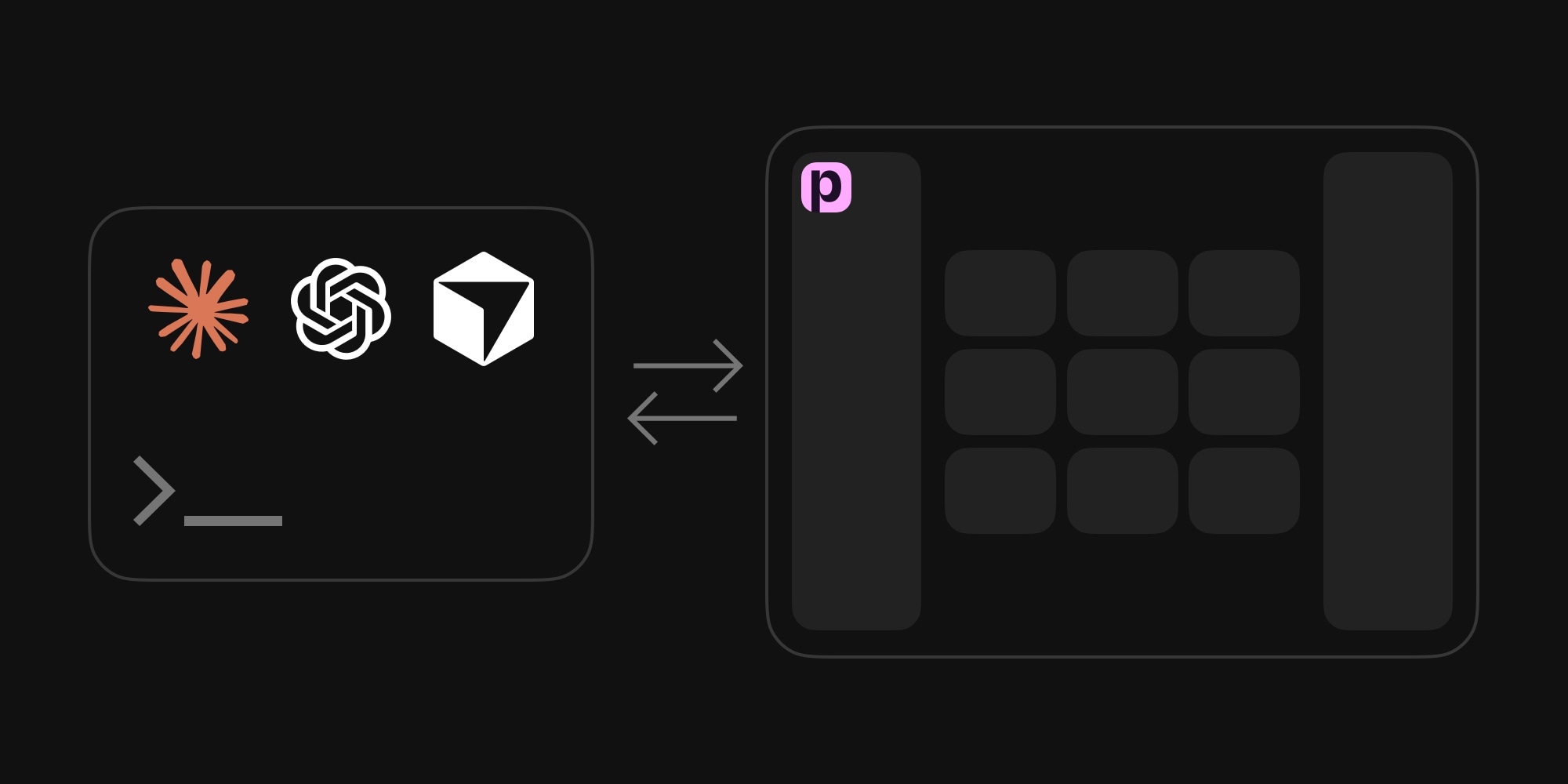
An AI agent building a PaneFlow project in real time: Claude Code working in the terminal on the left, the PaneFlow editor updating live on the right as the agent adds slides and elements.
#What It Is
MCP (the Model Context Protocol) is the open standard that lets AI assistants connect to external tools. PaneFlow exposes its full editing surface as an MCP server, so any MCP-capable client can drive it:
- Claude Code, Claude desktop, and Claude web
- Cursor
- VS Code
- OpenAI Codex
- OpenCode
- Any other client that speaks HTTP MCP
You connect once, then talk to your assistant the way you already do. The difference is that now it can actually build the presentation instead of describing one.
#What You Can Do With It
In a normal conversation, an agent connected to PaneFlow can:
- Build a deck from a topic, a brief, or a rough outline
- Add, duplicate, reorder, and edit slides
- Place and style text, images, videos, shapes, charts, custom code, and 3D device mockups
- Apply animations and block transitions, including the motion that makes PaneFlow templates feel alive
- Generate images and remove backgrounds with AI, using the same credits as the editor
- Take screenshots of any slide to check its own work and fix what looks off
- Edit existing projects you already have, just by referring to them by name
It is the full toolkit, not a cut-down version. More than forty tools cover everything from creating a project to setting per-slide positions and centering an element inside a block.
#How It Works
Under the hood, the agent builds the same way a designer does in the editor. PaneFlow's structure is simple: a project holds panes (slides), panes hold blocks (positioned containers), and blocks hold content elements. A block can appear on more than one slide at a different position, and PaneFlow automatically animates the move between them. That single idea is how the agent creates smooth, intentional transitions instead of hard cuts.
Everything is positioned in plain pixels, like Figma or Keynote, so the agent reasons about layout in numbers that make sense. At export time PaneFlow converts all of it to responsive units, so the slideshow the agent built scales perfectly on any screen without anyone thinking about it.
The agent can also see its work. At any point it can take a screenshot of a slide as a viewer would see it, look at the result, and correct alignment, spacing, or color. Ask it to "check the cover and fix anything that looks cramped" and it will.
#Connecting It
There are no API keys to paste. PaneFlow uses standard OAuth 2.0, so the first time your client connects, a browser opens, you sign in, and you approve access. After that it refreshes automatically.
The MCP endpoint is:
https://paneflow.com/mcp
For Claude Code:
claude mcp add --transport http paneflow https://paneflow.com/mcp
For Cursor, add it to .cursor/mcp.json:
{"mcpServers": {"paneflow": {"url": "https://paneflow.com/mcp"}}}
Setup snippets for VS Code, Codex, OpenCode, and Claude desktop are in the MCP documentation.
#Built-in AI Image Generation
The agent does not have to send you off to another tool for visuals. It can generate images from a text prompt and remove backgrounds, then drop the result straight into a slide as a background, an image, or a 3D model screen. Image generation uses your PaneFlow AI credits, the same balance as the in-app generator.
The agent is built to be polite about it: before spending anything, it tells you how many images it wants to make, what they cost, and your current balance. You can also set a budget up front - "feel free to generate up to five images" - and let it work.
#Example Prompts
The more direction you give, the better the result. Here are a few to show the range.
Start simple:
Build a 6-slide product launch deck for a coffee subscription brand called Northbound. Warm, editorial tone. Generate a hero image for the cover, use a number-roll stat slide for growth, and end with a sign-up call to action.
The agent creates the project, lays out six slides, writes the copy, generates the hero image, builds the animated stat, and wires the closing slide. When it finishes, the project is in your dashboard - open it, adjust anything, and export.
Push for something striking:
Use the PaneFlow MCP to build a 3-slide intro for a design conference keynote. Dark and premium, one electric acid-green accent, huge condensed type, and a studio portrait of the speaker with the background removed, layered over the giant headline so the type reads through her. Animate the type per-letter and let the cutout drop in. Make it WOW.
Or go bigger, with a full website section:
Use the PaneFlow MCP to build a 5-slide product hero I can embed under my site nav - a flagship running shoe drop. Full-bleed dark studio shots of the shoe from four angles with the background removed, floating over giant condensed type. Roll the price and the key specs up as numbers, draw an underline beneath the headline, and pin a "Shop the drop" button on every slide. Loop it back to the first slide so it runs forever, and make it feel like an awwwards site section.
Because the agent can screenshot its own work, you can keep refining in the same conversation: "the headline is too tight on slide two, give it more room," or "make the accent pop harder." It adjusts and shows you the result.
#Why This Matters
PaneFlow has always been about getting from idea to a finished, animated, shippable slideshow fast. The MCP server removes the last bit of friction for anyone already working with an AI assistant. You stay in the conversation you are already having, and a real presentation comes out the other side - one you fully own and can keep editing by hand.
It also makes PaneFlow a first-class tool for AI agents. If you are building agent workflows that need to produce presentations, decks, or animated website sections, PaneFlow is now something they can drive directly.
#Requirements
The MCP server is included with any paid PaneFlow plan. You sign in with your subscribed account when you connect, and AI image generation draws on your usual credit balance.
#Related
- Introducing PaneFlow v2 - everything new in this release
- MCP Server documentation - full setup and prompting guide
- PaneFlow for AI Agents - building presentations into agent workflows
- 50 New PaneFlow Templates - the v2 template drop
- Browse all PaneFlow templates
Don't Miss What's Next
Get updates, design tips, and sneak peeks at upcoming features delivered straight to your inbox.







