Introducing PaneFlow v2
PaneFlow v2 is here, and it is the biggest update we have ever shipped. A fresh new look, an editor rebuilt from the ground up, a fundamentally simpler way to design, 50 new templates, an MCP server for AI agents, a new video renderer, and our first real documentation. Here is everything new, with links to dig into each part.
To celebrate, every plan is 50% off through July 20, and lifetime deals are now available. More on that at the end, or jump straight to the launch offer.
We even gave PaneFlow a new logo - a cleaner, more modern mark for a new chapter.
 →
→
#An All-New Editor
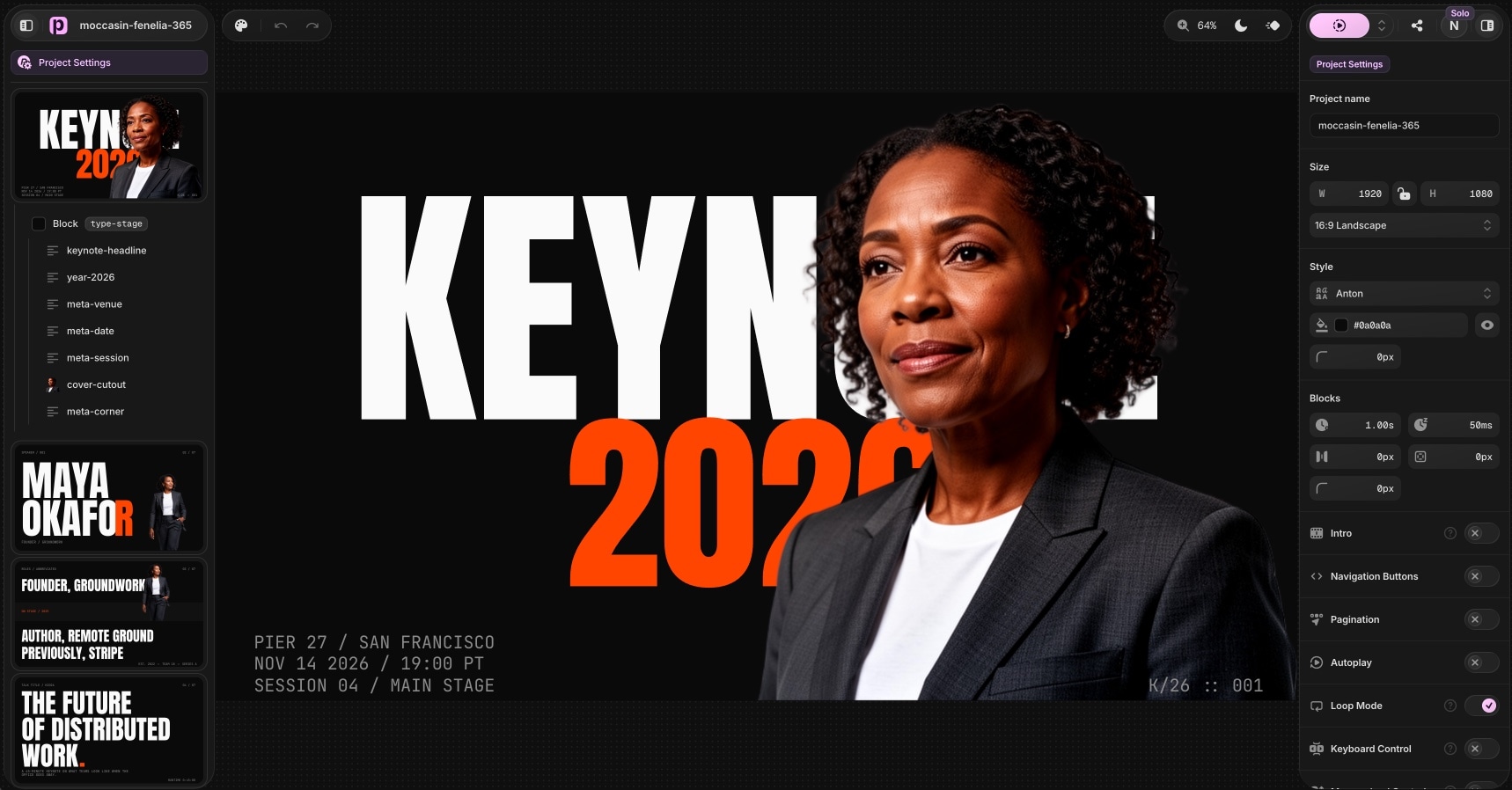
We rebuilt the editor almost from scratch. The new layout keeps your panes on the left and your settings on the right, with sidebars that float over the canvas instead of boxing it in. Controls are far more compact. The whole thing feels lighter and gives your design more room to breathe.
The deeper change is how you design. PaneFlow now works in plain pixels, like Figma or Keynote - position, size, font size, spacing, all of it. It is far more intuitive than the container-relative units we used before. And you lose nothing: when you export or share, PaneFlow automatically converts everything to responsive units, so your work still scales perfectly to any screen.
Read more about the new editor
#50 New Templates
The catalog grew from 80 to 130 templates with the v2 drop. The headline is a brand-new kind of template: for the first time, some are interactive - click-driven tabs, hotspots, pickers, and branching paths, not auto-playing slideshows. Alongside them are full-width website heroes and sections you can export as code, a deep bench of pitch decks, portfolios, and product detail pages.
#An MCP Server for AI Agents
This is the one we are most excited about. PaneFlow now ships an MCP server, so AI agents like Claude, Cursor, and Codex can build and edit real PaneFlow projects for you, in plain language. Describe the deck you want and the agent builds it slide by slide - adding panes, placing and styling elements, applying motion, even generating images with AI. Everything it makes lands in your dashboard as a real, editable project.
It connects with standard OAuth, works with any MCP-capable client, and makes PaneFlow a first-class tool for AI agents.
Read more about the MCP server
#A Rebuilt Video Renderer
Our companion video renderer has been rewritten from scratch. The result is consistent rendering at any frame rate, so exporting 4K at 60fps is no longer a problem. Quality and frame rate no longer depend on your hardware - only the length of the video does. And on powerful machines, rendering can run up to 10 times faster than real time.
If you export video from PaneFlow, this is a step change: higher quality, no dropped frames, and far less waiting.
#Real Documentation
PaneFlow now has a proper documentation section - something we never had before. It covers the core concepts, the editor, every element type, animations and transitions, export and publishing, AI features, keyboard shortcuts, and the new MCP server. Whether you are just starting out or wiring up an agent, there is now a place that explains exactly how everything works.
#And a Lot More
v2 is full of smaller improvements that add up: text shadows, text transforms and letter spacing, new slide-in and scale-in animations, one-click image auto-crop after background removal, multi-element copy and paste, and a set of new keyboard shortcuts. The editor post covers these in detail.
#The Launch Offer
To celebrate v2, every plan is 50% off through July 20, applied automatically at checkout with no code needed. We have also added lifetime deals for the first time, so you can own PaneFlow with a single payment - lifetime access starts at $48 during the launch.
Get PaneFlow at 50% off or read the full offer.
#Get Started
- Open the editor and start a project, or pick one of the 50 new templates.
- Design in pixels, animate, and export as HTML, video, PDF, or a CDN link.
- Or connect the MCP server and let an AI agent build it for you.
Thank you to everyone who has used PaneFlow and sent feedback along the way. v2 is the result. We cannot wait to see what you make with it.
#Related
- The All-New PaneFlow Editor
- 50 New PaneFlow Templates
- Introducing the PaneFlow MCP Server
- PaneFlow v2 Launch Offer
- PaneFlow Documentation
Don't Miss What's Next
Get updates, design tips, and sneak peeks at upcoming features delivered straight to your inbox.







