20 New PaneFlow Templates: Holiday Sales With Live Countdowns
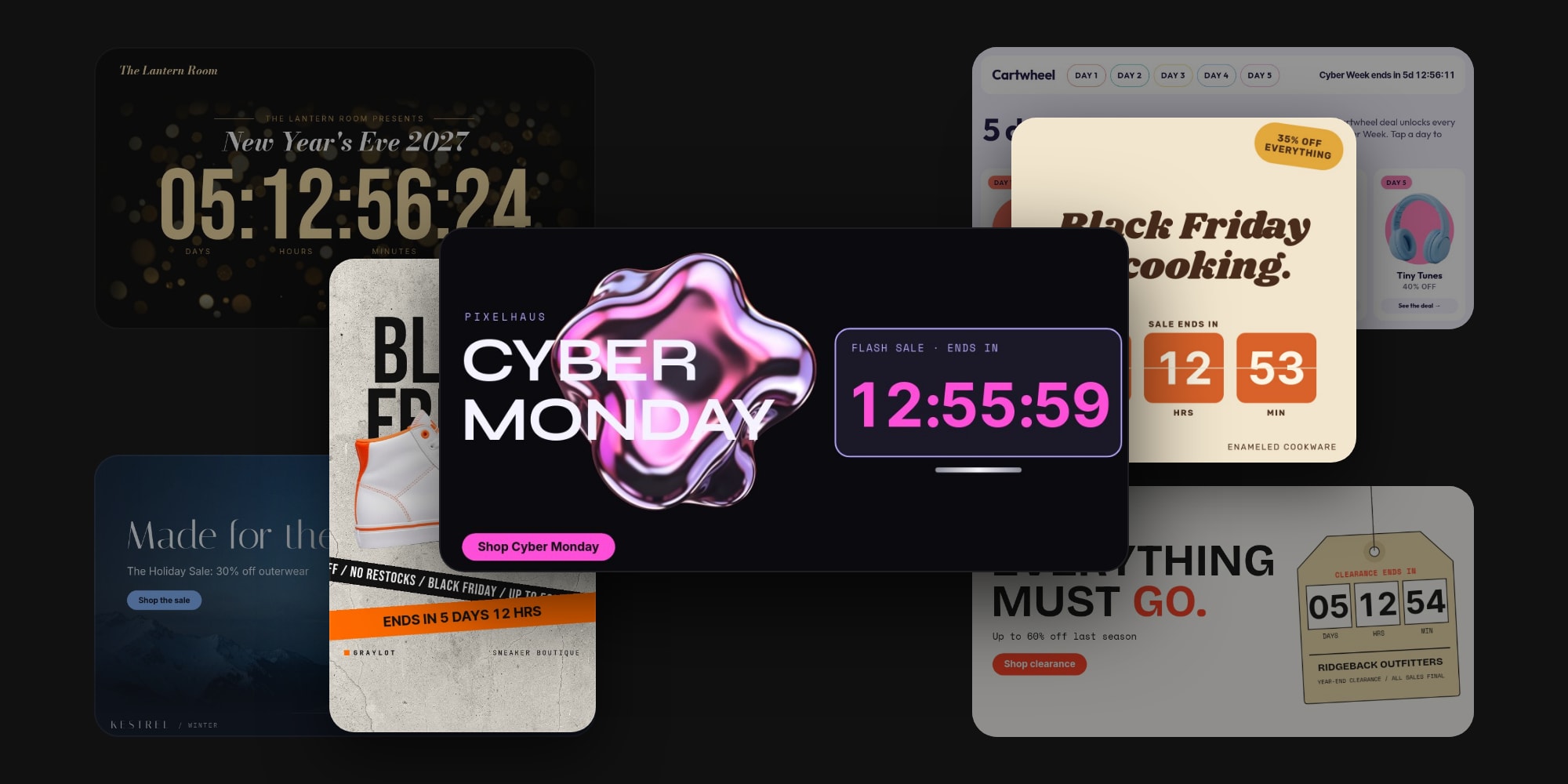
20 new templates just landed, taking the PaneFlow catalog from 150 to 170. This drop has one theme: holiday sales, built around the live countdown text we shipped last week.
Our last drop covered the season once, with a Black Friday hero, a Cyber Monday square, and a gift guide. But it predated the countdown, so every "ends soon" was static copy. This batch gives each key moment of the season - Black Friday, Cyber Monday, Thanksgiving, Small Business Saturday, Giving Tuesday, shipping cutoffs, the holidays, and New Year - several takes by mood, audience, and format. A luxury fragrance brand, an electronics store, a SaaS, a bakery, a nonprofit, and a rooftop bar should each find "their" Black Friday or New Year template.
As always, none of these are blank decks. Every template ships with real copy, plausible prices, and a fictional brand behind it. Open one, swap your content, set your end date, and ship.
#A Real Clock in Every Template
19 of the 20 templates carry a live countdown. It ticks every second in published slideshows, embeds, and code exports to HTML, React, Vue, and Svelte, right in the visitor's browser.
When you open a template, its countdown is set a realistic distance from that moment - two weeks out for most of them, and two days out for the three flash templates, so an hours-only clock reads 47:59:59 instead of 335:59:59. It never opens on an expired date. Then select the countdown text, open the "Countdown" group in the sidebar, and set "Ends at" to your real deadline. It is saved with your timezone, so the sale ends at the same moment for every visitor, wherever they are.
Every template also knows what to do when time runs out. A sale should never sit at 00:00:00 for a week, so each one has an ended state designed in: the doorbuster cards turn into "Doorbuster ended", the noir hero swaps its whole clock for "The Edit is live.", and the New Year's Eve clock flips to "HAPPY NEW YEAR" at midnight. Use "Preview" in the Countdown group to check the ended state while you edit.
The copy is written around the clock, too. There are no "ends Sunday" or "48 hours only" lines anywhere, because a duration in the copy would contradict the countdown the moment you change the date. The countdown is the only time statement, so the templates work this November and next.
#The Standouts
Ten templates that show the range of the drop. Click any to open the full template page.
#Cyber Monday Hero - Y2K Chrome
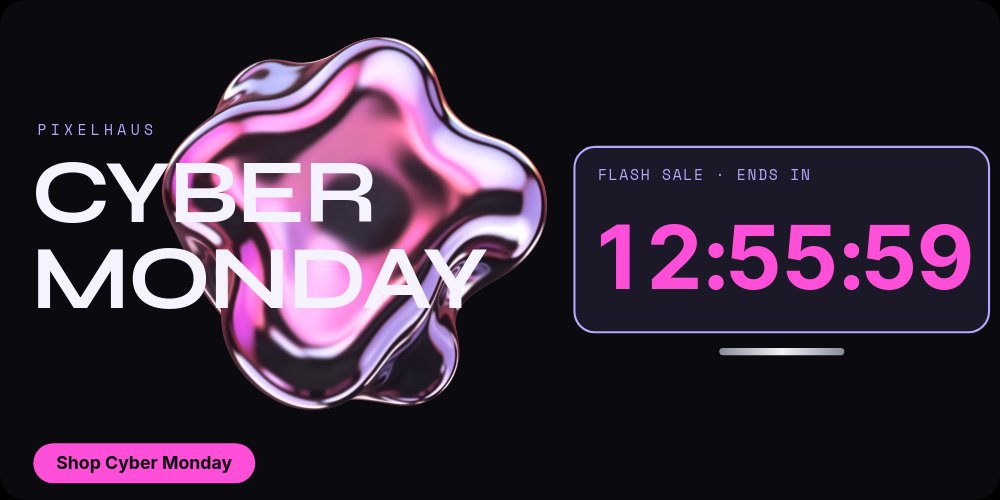
A Y2K flash sale hero with a liquid chrome blob, wide "CYBER MONDAY" type, and a giant pink hours-only clock on a lilac screen. Three gadget deals roll through with slashed prices while the clock keeps ticking in the corner. The batch's flash look: it opens two days out, so the clock reads like a real final stretch.
#Black Friday Hero - Noir Gold Countdown
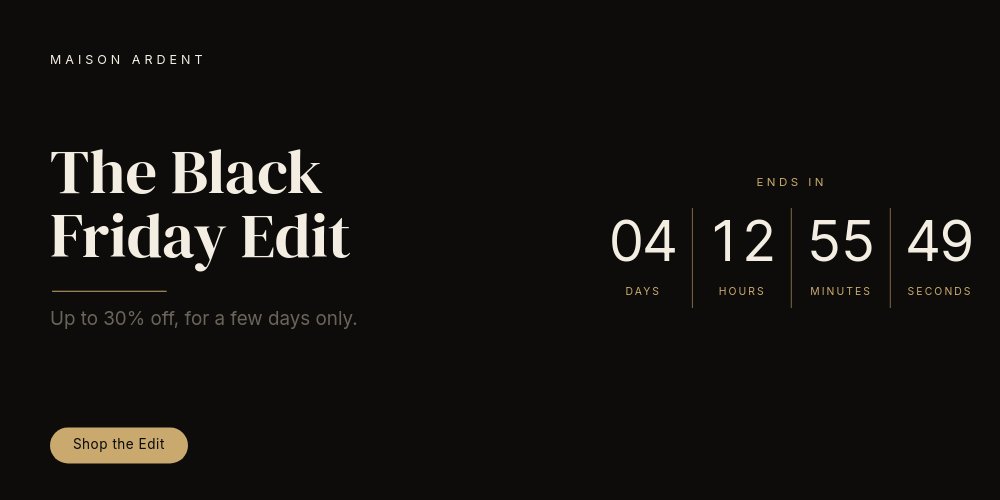
A quiet-luxury Black Friday for brands that don't shout. A boxed countdown that reads like a watch dial, champagne gold hairlines on near-black, and a perfume bottle lit like an ad campaign. The clock travels from the hero to a compact band on the product panes, and swaps itself for "The Edit is live." when time is up.
#Black Friday Doorbusters - Deal Grid
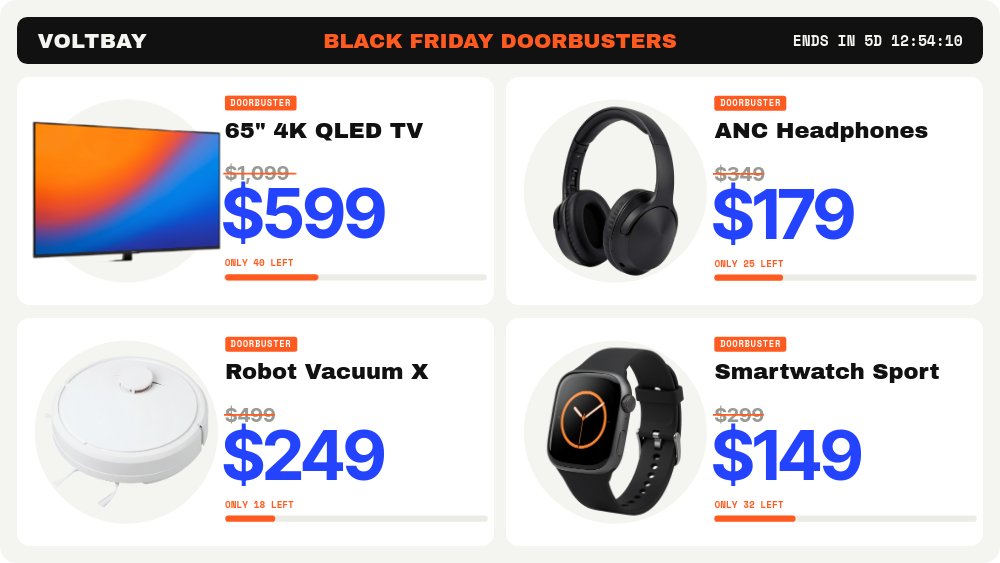
A retail-flyer section in safety orange and electric blue. Four deal tiles open into one big card per deal, each with a struck price, a stock bar, and its own live countdown, so you can stagger doorbusters and let each one expire on its own.
#Cyber Week Daily Drops - Day Tabs
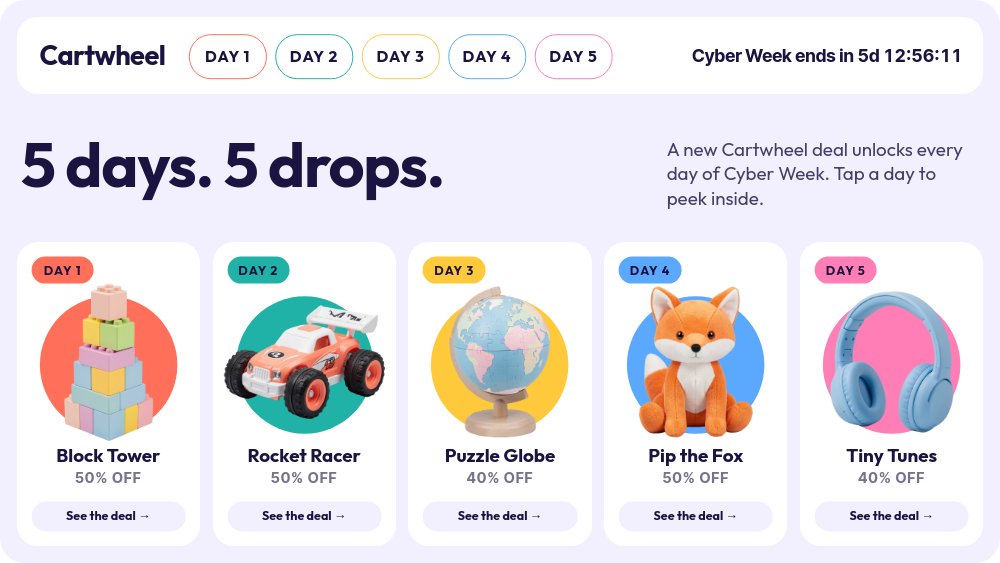
The interactive one. A pastel arcade widget with five candy-colored day tabs and a live "Cyber Week ends in" ticker in the nav. Click a day and its deal pane opens. The click navigation survives export to HTML, React, Vue, and Svelte, so it works as a real widget on your store.
#Black Friday Story - Streetwear Tape
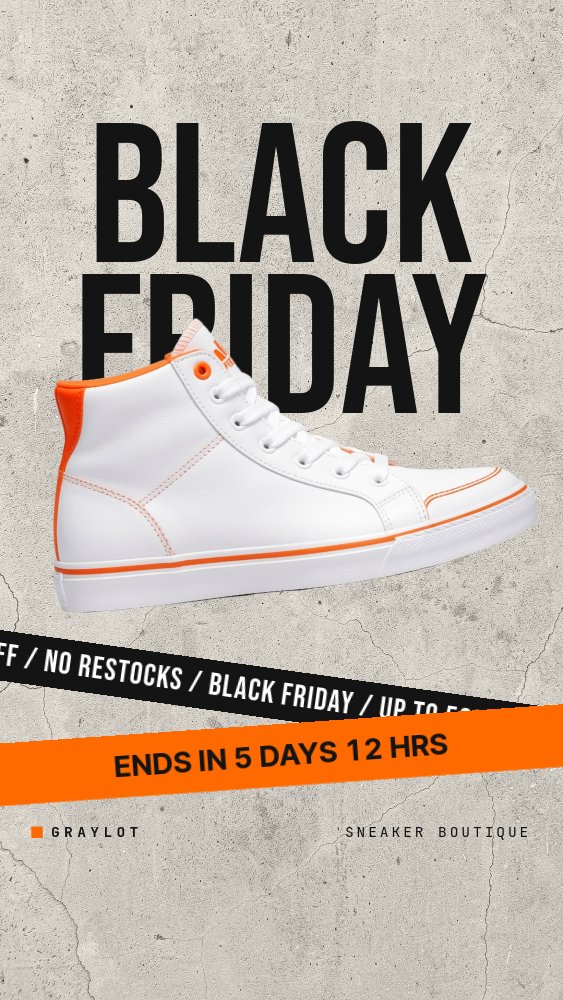
A drop-day story on raw concrete. Towering "BLACK FRIDAY" type pierced by a sneaker, hazard tape strips that carry the countdown, and prices slashed in orange. Four panes in a 14-second loop, exported as an MP4 for Stories, Reels, and TikTok.
#Black Friday Square - Retro Kitchen
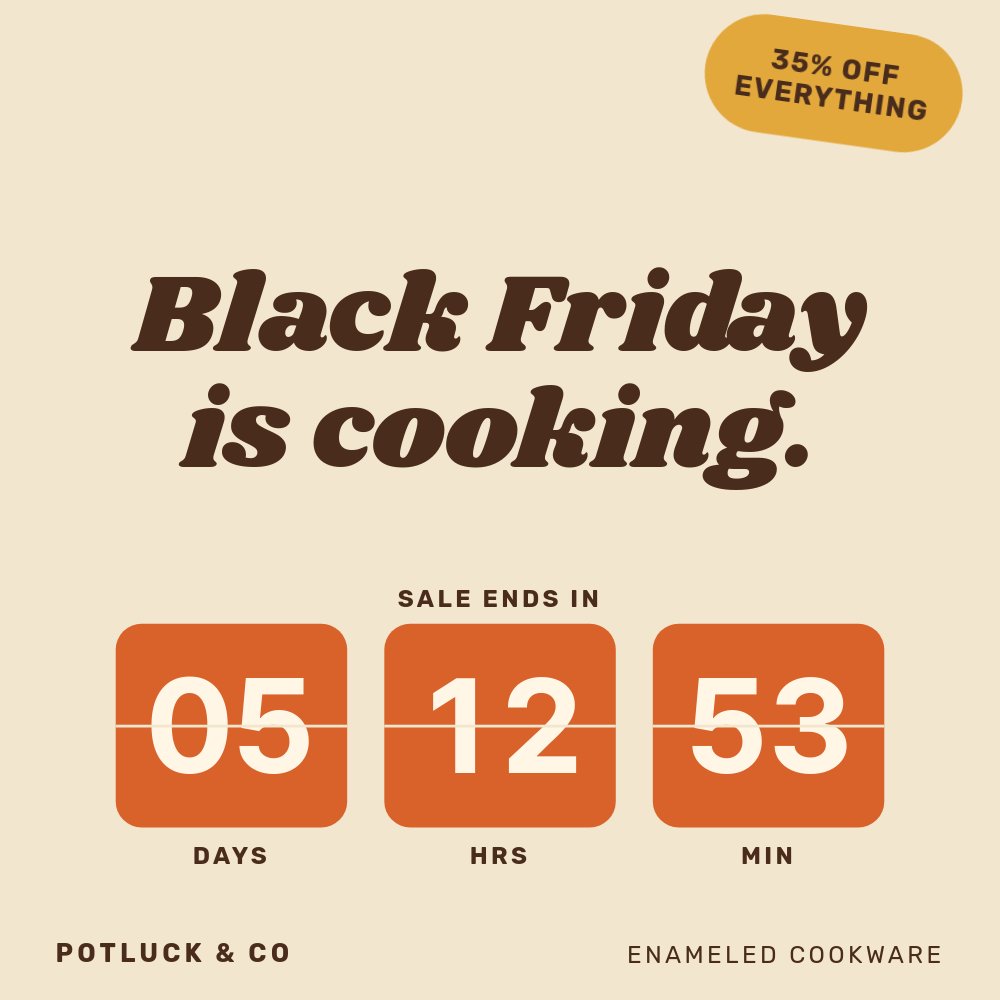
"Black Friday is cooking." in groovy Shrikhand, burnt orange flip-clock tiles counting down, and an enameled Dutch oven on cream. A 70s kitchen take for home goods brands, built as a square feed post that also exports to MP4.
#Thanksgiving Pre-Orders - Bakery Square
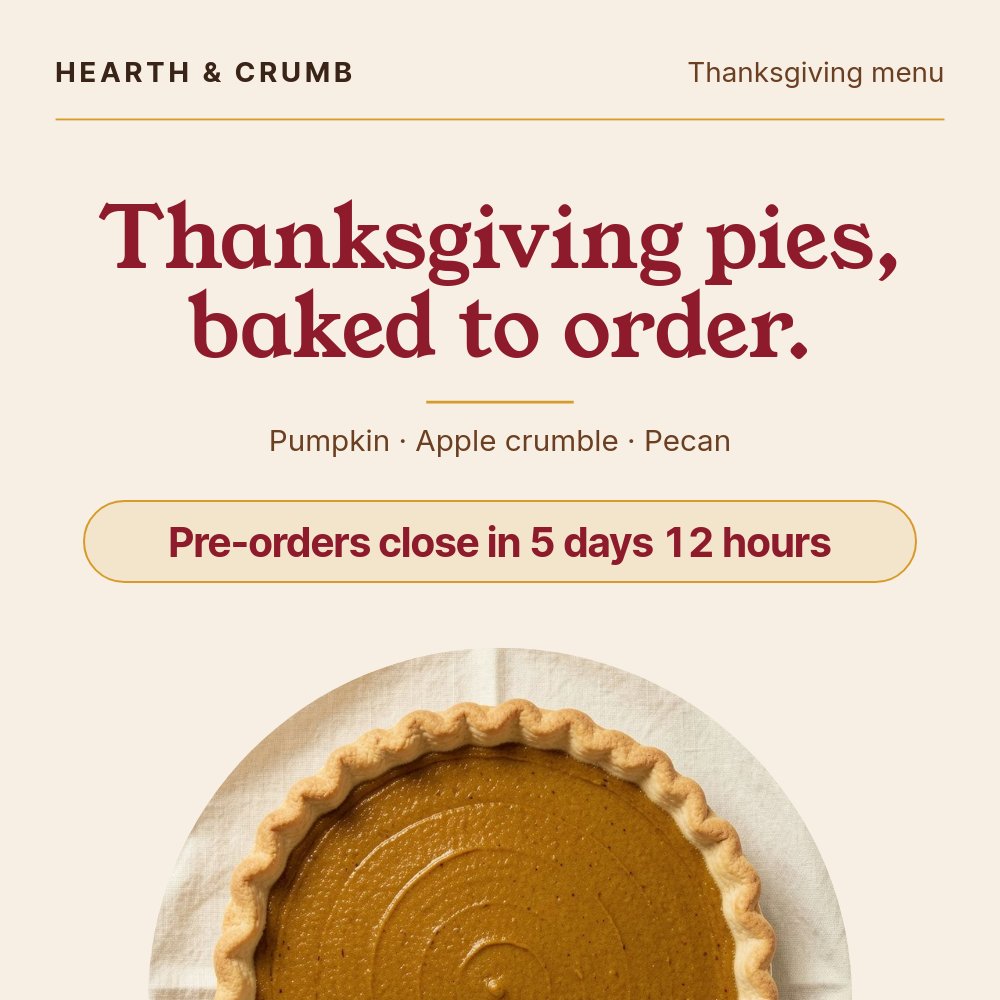
A warm bakery menu in cream, cranberry, and mustard. Top-down pies in circle crops, rolling prices, and a live pill that tells customers exactly when pre-orders close. When they do, it reads "Pre-orders closed - walk-ins welcome."
#Holiday Sale Lookbook - Winter Hero

An alpine blue-hour lookbook for an outerwear holiday sale. Full-bleed snow photography, frost-white captions, struck prices, and a countdown chip running along the bottom like a film timecode.
#New Year's Eve - Countdown to Midnight
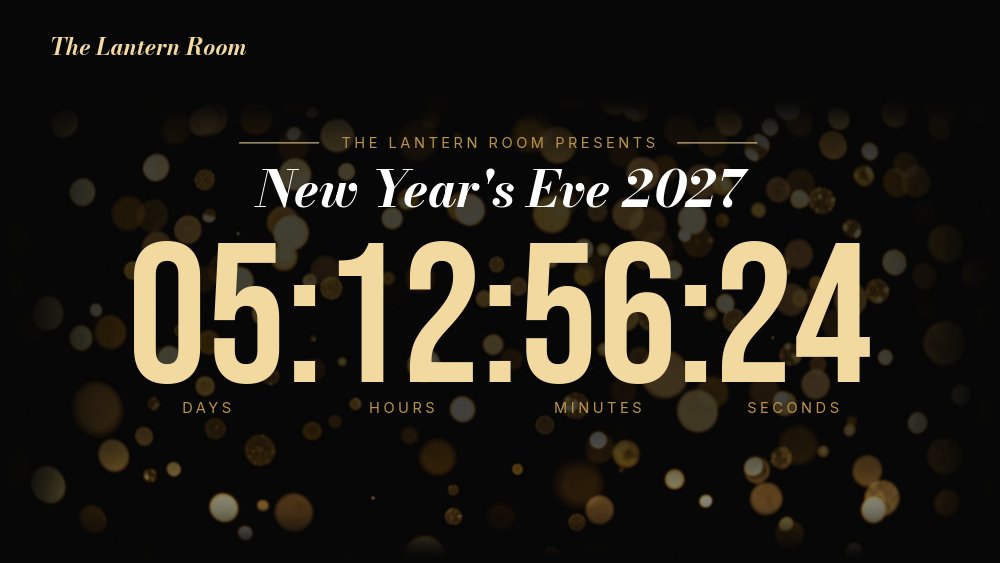
A champagne-and-black countdown for a rooftop bar: a giant live clock over gold bokeh, short interludes for the night and the tickets, and a "HAPPY NEW YEAR" swap at midnight. Set "Ends at" to January 1, 00:00 in your venue's timezone, publish it, and run it full screen on the venue displays.
#Last-Minute Gift Cards - Foil Square
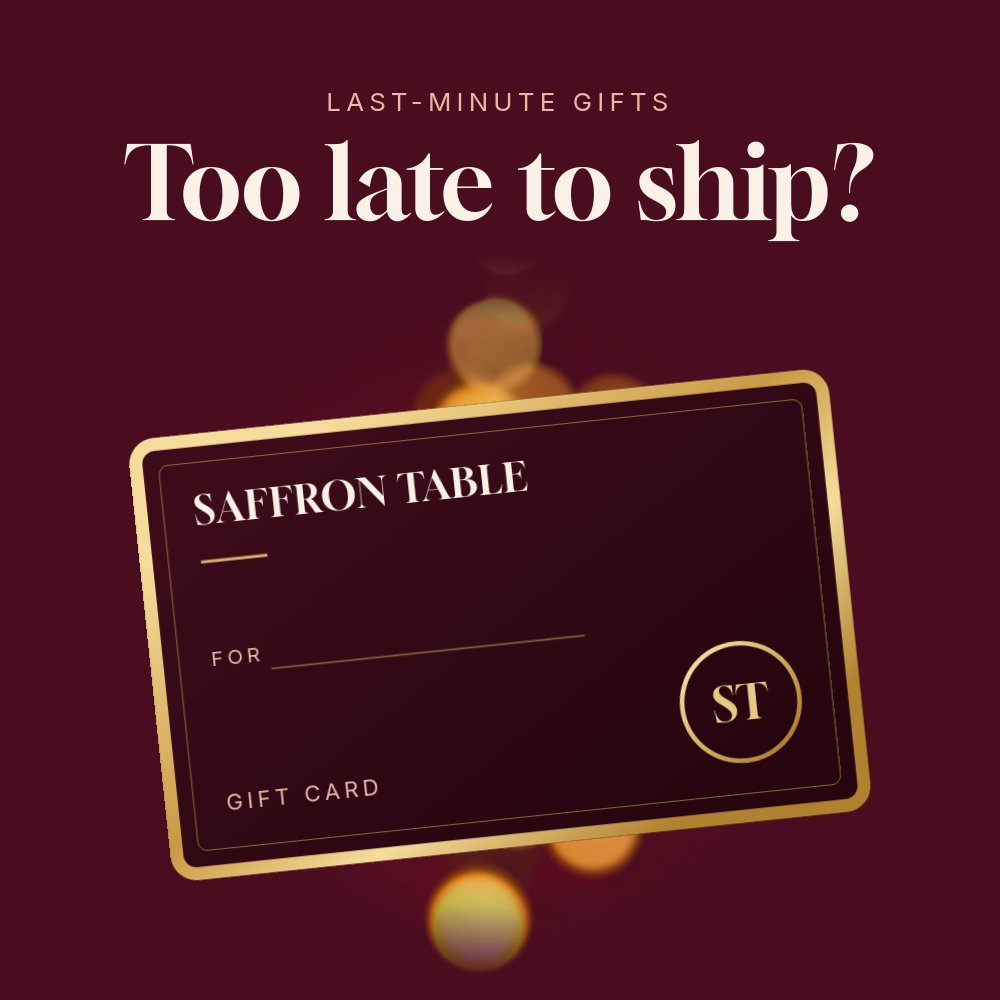
The one template without a countdown, on purpose. "Too late to ship?" over a tilted gold-edged card, gift card amounts that roll up, and "Delivered instantly, by email." to close. Gift cards are the answer for people who already ran out of time, so this post stays true all season.
#Everything in the Drop
All 20 templates, grouped by moment, with a one-line hook on each.
#Black Friday (6)
- Black Friday Hero - Noir Gold Countdown - A 2:1 quiet-luxury hero with a boxed watch-dial countdown and gold hairlines.
- Black Friday Doorbusters - Deal Grid - A retail-flyer deal section with a live timer and stock bar on every card.
- Black Friday Early Access - Members Only - A 4:5 velvet VIP invite counting down to the moment early access opens.
- Black Friday Story - Streetwear Tape - A 9:16 concrete-and-hazard-tape story for sneaker and streetwear drops.
- Black Friday Square - Retro Kitchen - A 70s kitchen square with burnt orange flip-clock tiles.
- Black Friday SaaS Deal - Annual Pricing - A calm pricing section with a ticking offer pill and slashed annual plans.
#Cyber Monday and Cyber Week (4)
- Cyber Monday Hero - Y2K Chrome - A 2:1 liquid chrome flash sale hero with a giant hours-only clock.
- Cyber Week Daily Drops - Day Tabs - An interactive widget with five clickable day tabs and a live ticker.
- Cyber Monday Story - Final Hours - A 9:16 beauty story with a huge red hours-left numeral.
- Cyber Monday Bar - Terminal Deal - An 8:1 announcement bar with rotating terminal lines and a live ttl countdown.
#Thanksgiving and the Giving Weekend (4)
- Thanksgiving Pre-Orders - Bakery Square - A bakery menu square counting down to the pre-order cutoff.
- Thanksgiving Weekend Sale - Hearth Hero - A 2:1 linen-and-terracotta furniture hero with a hairline countdown row.
- Small Business Saturday - Shop Local Post - A 4:5 kraft paper invite with a rubber stamp counting down to doors open.
- Giving Tuesday - Matching Gift Drive - A donate section with a 2X match countdown, a progress bar, and impact cards.
#Holiday Season (3)
- Holiday Shipping Cutoff - Announcement Bar - An 8:1 store bar with an "Order within" countdown in a gold gift tag.
- Holiday Sale Lookbook - Winter Hero - A cinematic winter lookbook hero with a timecode-style countdown chip.
- Last-Minute Gift Cards - Foil Square - A velvet-and-foil gift card post for shoppers who ran out of time.
#New Year (3)
- New Year's Eve - Countdown to Midnight - A giant live clock over gold bokeh that flips to HAPPY NEW YEAR.
- New Year Sale - Fresh Start Membership - A 4:5 Swiss-poster membership sale with a founding-rate countdown.
- Year-End Clearance - Price Tag Hero - A 2:1 clearance hero with boxed countdown digits on a swinging price tag.
#Built for Your Site, and for the Feed
Most of the drop is built to live on your site. The heroes sit at hero proportions under your navbar, the sections drop between your content, and the two announcement bars - the new 8:1 format in the catalog - are made to sit above your store's nav with a single line of copy that stays readable on a laptop. Export to HTML, React, Vue, or Svelte, paste it into Webflow, or use the Framer plugin, and the countdown ticks live for every visitor.
The social squares, 4:5 posts, and 9:16 stories are built for video export, with square corners and loops under 15 seconds. An MP4 can't tick, so it shows the countdown as it was at the moment of export. That's why these templates count in days and hours, never seconds: a frozen "3 DAYS LEFT" in a story is true when you post it, while a frozen 02:13:45:10 looks like a broken clock. Publish the same template as a hosted link if you want it live in your link-in-bio.
#How to Start
- Open the template gallery and pick one. The new templates sit at the top.
- Click "Use Template" to open it in the editor.
- Swap text, images, prices, and palette. The copy is written to be edited, not deleted.
- Select the countdown, open the "Countdown" group, and set "Ends at" to your real deadline. If a template has several countdowns, like the doorbuster cards or boxed clock digits, set each one.
- Check the ended state with "Preview", then export as MP4, HTML, React, Vue, Svelte, or PDF, or publish to a hosted link.
#Related
- New In PaneFlow: Live Countdown Text - how the countdown works, tokens and all
- 21 New PaneFlow Templates - the previous drop, with Q4 campaigns, work decks, and vertical stories
- Browse all PaneFlow templates
- Export to video - how MP4 export works
- PaneFlow for Ecommerce - store heroes, deal sections, and campaign creative
- PaneFlow for Marketers - seasonal campaigns exported to video, images, and code
Don't Miss What's Next
Get updates, design tips, and sneak peeks at upcoming features delivered straight to your inbox.







