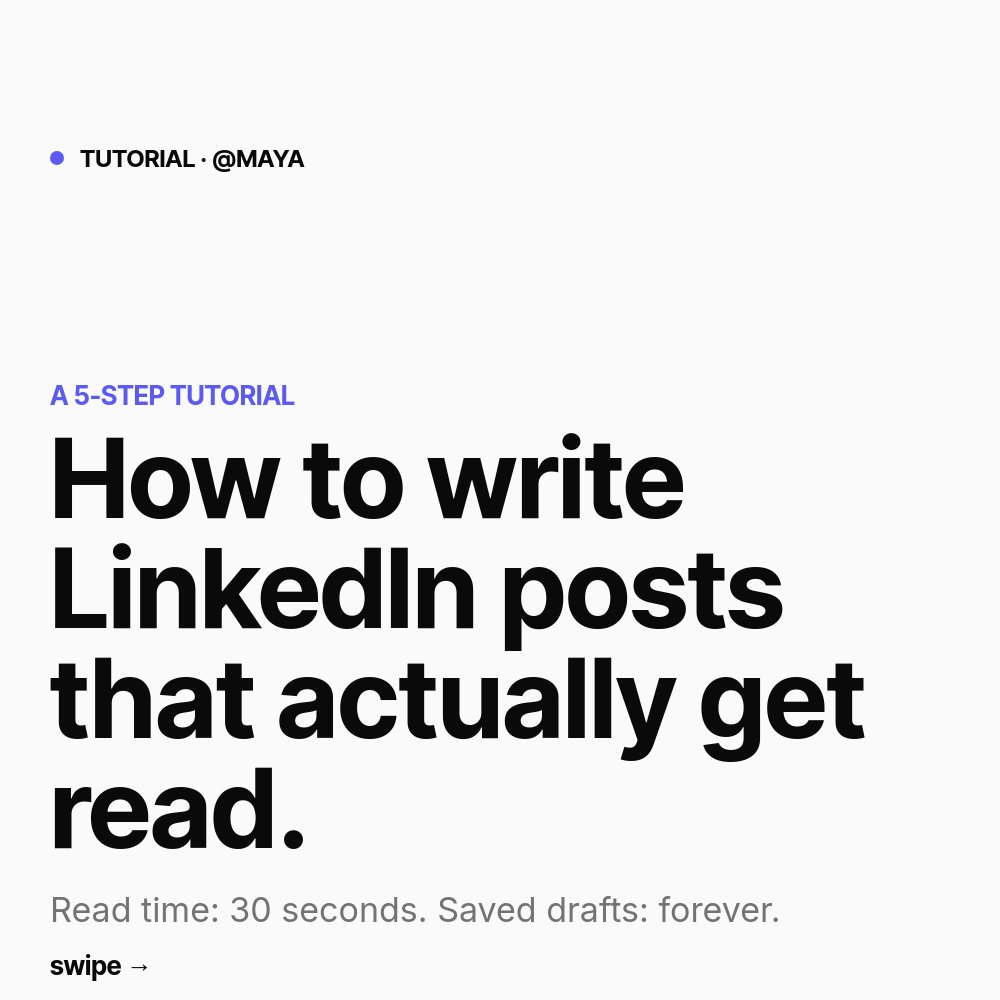
LinkedIn Tutorial Carousel Template - Step-by-Step How-to
A LinkedIn tutorial carousel template built for the document post format that drives the highest engagement on the platform right now. 8 square panes, a clean Linear-style aesthetic, big indigo numerals on every step, and typography that stays legible all the way down to the LinkedIn mobile viewport. Designed for creators and operators who teach a process and want the slides to feel as considered as the writing.
#What Makes This Template Stand Out
This template is the LinkedIn-format counterpart to the Linear and Vercel marketing aesthetic. The palette is off-white background, near-black ink, muted gray for supporting copy, and one indigo accent at #5b5bf2 that lives on the step circles and the small TUTORIAL tag at the top. Inter Tight 700 powers the headlines and Inter handles body copy. Nothing competes with the tutorial itself.
The defining feature is how the step circles work. Each of the five step panes places a large filled indigo circle on the left half of the canvas with the numeral "01" through "05" set in tall white type on top. A pop animation scales the circle in from a smaller size as the pane comes into view, drawing the eye exactly where it needs to land before the swiper reads the step name and the one or two lines underneath. The numerals act as visual anchors that make a six-second swipe feel like a structured walkthrough rather than a wall of text.
Motion is restrained by design. Letter-fade renders the headlines word by word, succession staggers the body copy so each line lands in sequence, and pop is reserved for the numerals. There are no looping animations or decorative flourishes - the format demands legibility on a phone first, polish second.
- 8-pane structure: hook, why it matters, five numbered steps, and a follow CTA
- Square 1:1 format sized for LinkedIn document post upload at 1080x1080
- Big indigo step circles with pop entrance and white numerals
- Inter Tight 700 headlines paired with Inter body for clean Linear-style typography
- Letter-fade headlines and succession on body copy for readable swipe pacing
- Off-white palette with single indigo accent that swaps to any brand color in one place
#Who Should Use This Template
- B2B operators teaching a process - growth, sales, RevOps, product, design - who post tutorial content on LinkedIn and want the slides to match the quality of the writing.
- Content creators publishing how-to carousels weekly who need a reliable format to drop into so each post feels consistent without being copy-paste.
- Marketers running thought leadership campaigns for founders or executives where every carousel needs to look like it came from a design team rather than a stock template gallery.
- Course creators and educators breaking down a curriculum module into a swipeable summary that links back to the full course or cohort signup.
#Best Use Cases
#LinkedIn Document Posts and How-to Carousels
LinkedIn's algorithm currently rewards document posts more aggressively than image or text posts, and the tutorial format is the highest-performing carousel shape. This template lands you on the right side of both trends. Export the project as a PDF, upload it to a new LinkedIn post as a document, and the platform renders the panes as a swipeable carousel inline with the feed. The hook pane is built to stop the scroll, the step panes carry the substance, and the final pane converts dwell time into a follow.
#Step-by-Step Process Documentation
Beyond LinkedIn, the same 8-pane structure works as internal process documentation - onboarding flows, runbooks, post-mortem walkthroughs - shared inside Notion or Slack. The numbered circles read instantly, the muted copy color keeps supporting context legible without competing with the step names, and the export options mean you can ship the same content as a PDF for the wiki and as a HTML embed for a public help doc.
#Lead Magnet Carousels for Newsletters and Lead Gen
Use the template as a lead magnet preview - the first three panes seed the topic, the next four deliver the steps, and the CTA pane links to the full guide or newsletter. The clean Linear aesthetic reads as serious enough that a B2B audience trusts the source, and the indigo accent gives the whole post a distinct visual signature that becomes recognizable across a content calendar.
#How to Customize This Template
- Open PaneFlow and select "LinkedIn Carousel - Tutorial" from the template gallery
- Edit the hook headline on pane 1 with your specific outcome and step count
- Update the why-it-matters line and stat on pane 2 with the reason a reader should care
- Replace each of the five step panes with your step name and one or two lines of body
- Swap the author handle on the cover and CTA panes with your LinkedIn @handle
- Change the indigo accent in the project palette to your brand color if needed
- Drop in your headshot on the final CTA pane and update the follow line
- Export as PDF for LinkedIn document upload, or as HTML and video for repurposing
#Related Templates
- LinkedIn Listicle Carousel - editorial cream and serif "lessons learned" companion in the same square format
- LinkedIn Stat Carousel - brutalist black and yellow data-led variant for one-stat hooks
- LinkedIn Mini Case Study - same SaaS-minimal aesthetic applied to a client outcome story
- Course Intro / Curriculum - long-form curriculum and module template for cohort and online courses
#Related Resources
- PaneFlow for Marketers - animated social, campaign, and content assets for B2B marketing teams
- PaneFlow for Content Creators - carousel, story, and recap templates built for creator workflows
- PaneFlow vs Canva - how PaneFlow's animated carousels compare to Canva for LinkedIn document posts
Start with LinkedIn Carousel - Tutorial
Open this template in PaneFlow, customize it to match your brand, and export as HTML, React, Vue, or video.







