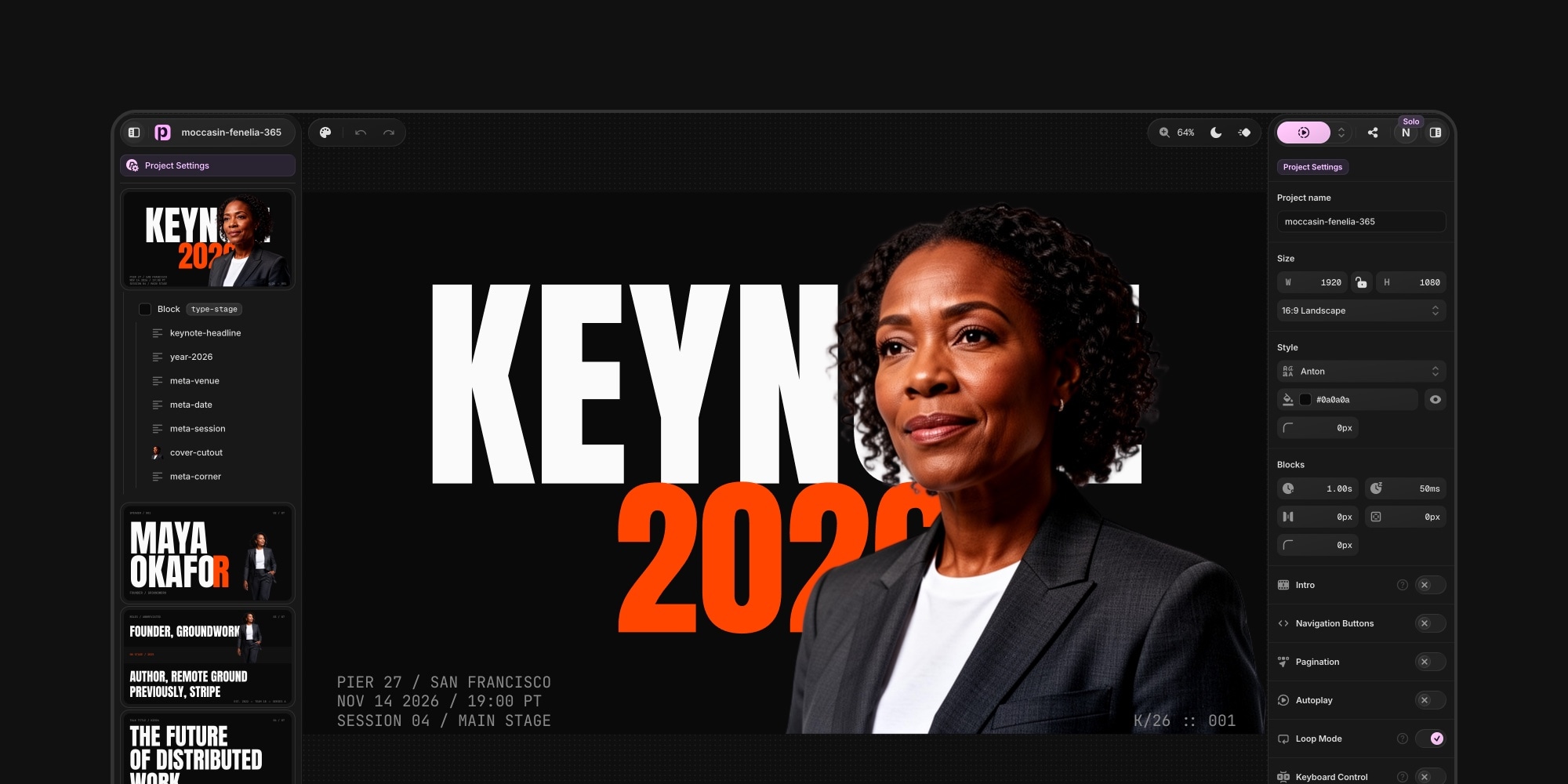
The All-New PaneFlow Editor: Rebuilt, Airy, and Now in Pixels
The editor is where you spend your time in PaneFlow, so for v2 we rebuilt it almost from scratch. New layout, new UI, lighter feel, and one change under the hood that makes editing much more straightforward. Here is what is new.
#A Lighter, Floating Layout
The whole editor has been reorganized around a simpler idea: keep your content on one side, your styling on the other, and let the canvas breathe.
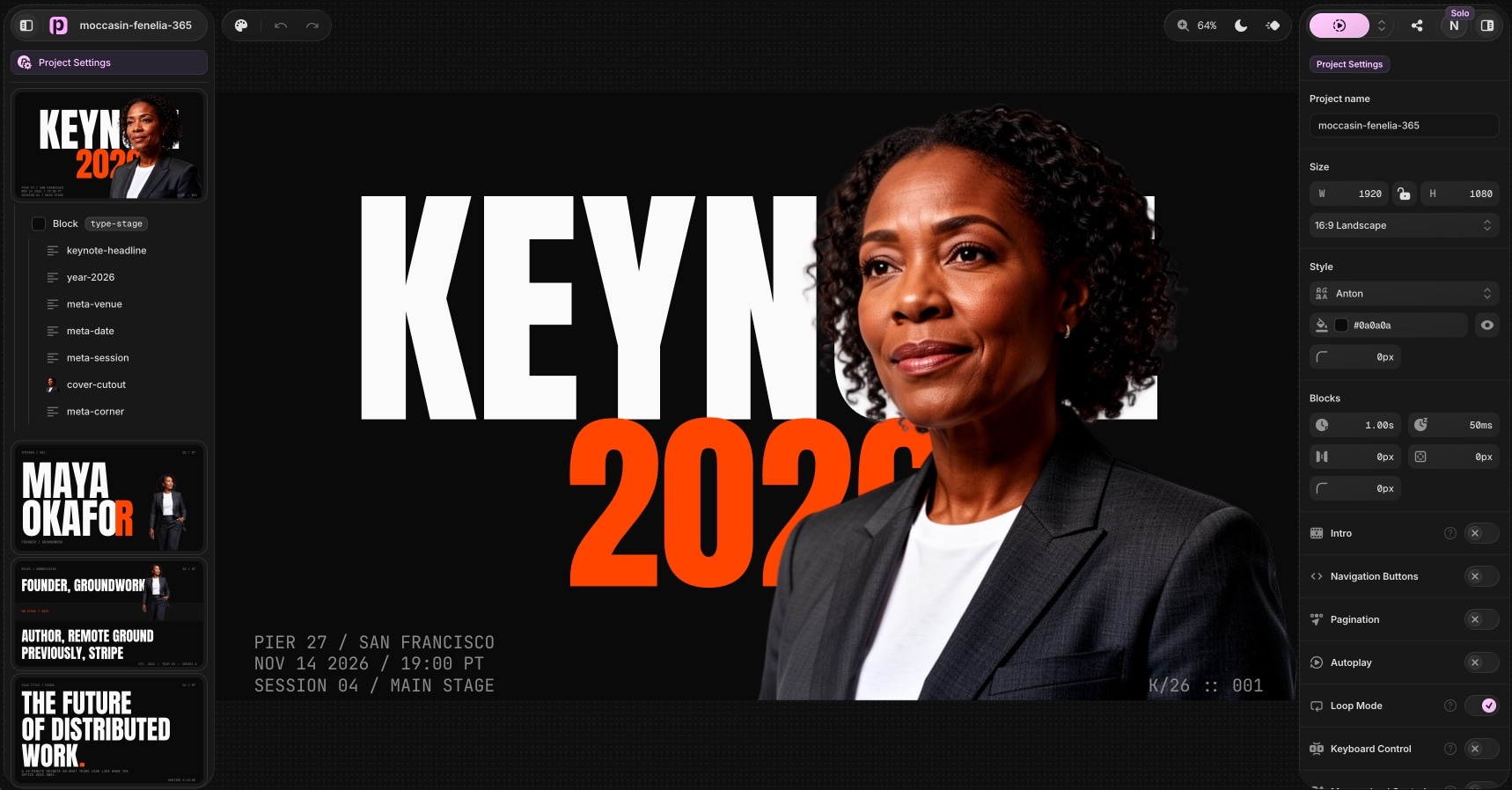
- Panes live on the left. Your slides and their structure are always in reach.
- Settings and styles live on the right. Select anything and its controls are right there, in a compact, scannable panel.
- The sidebars float over the canvas instead of boxing it in. That one change makes the whole editor feel airy and light, and gives your design more room on screen.
- Controls are far more compact, so you see more and hunt less.
For comparison, here is the previous editor:
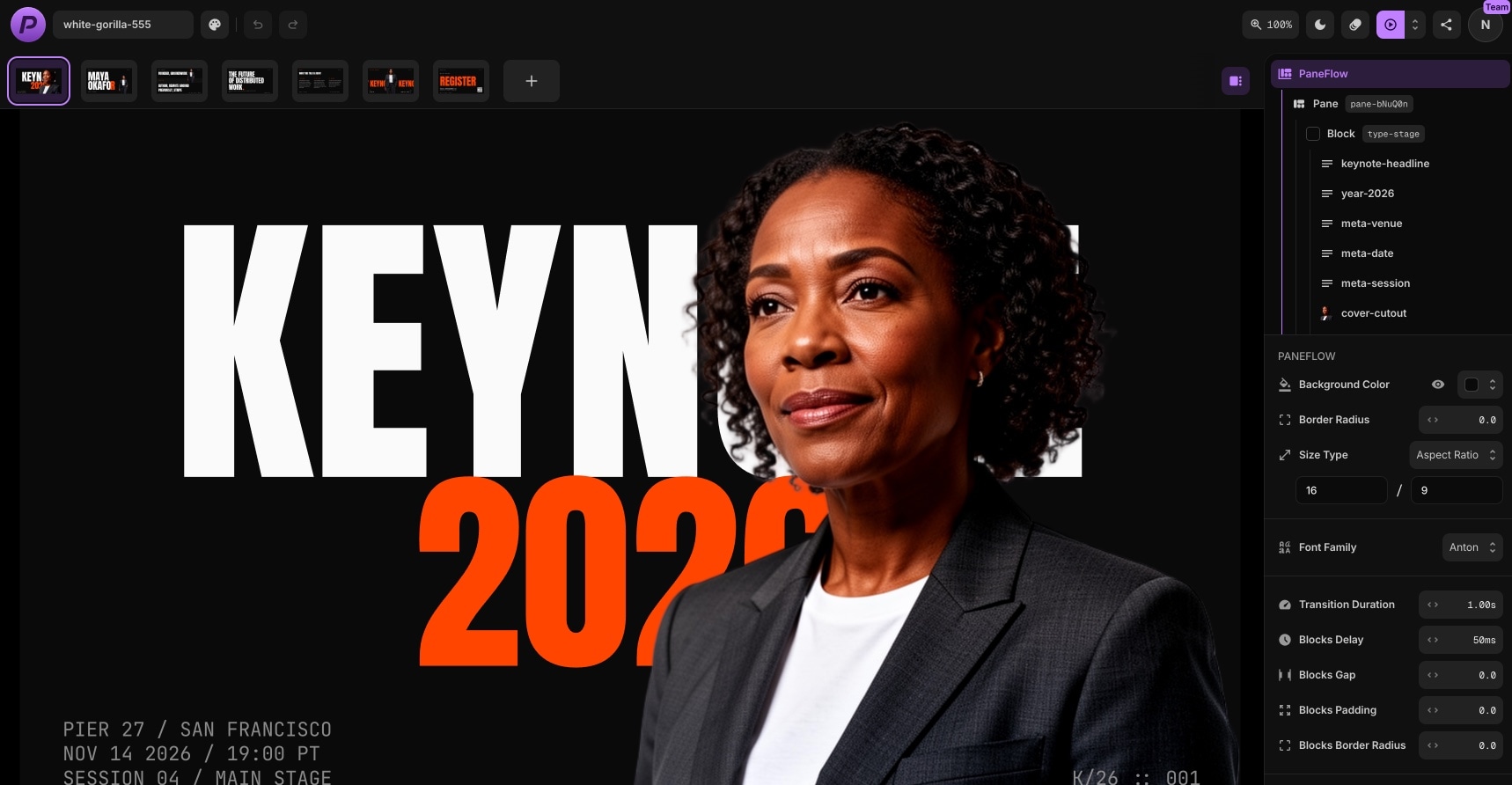
Same power, much less weight.
#Edit in Pixels, Ship Responsive
This is the big one. PaneFlow used to ask you to think in container-relative units while editing. Powerful, but not intuitive. In v2, you edit in plain pixels, exactly like Figma or Keynote. Position, size, font size, padding, spacing - all of it is just pixels on a design canvas now. It is far clearer and faster to reason about.
You lose nothing in the process. When you export or share a slideshow, PaneFlow automatically converts everything to responsive units behind the scenes, so your work still scales perfectly to any screen. You get the clarity of pixel editing and the responsiveness of the old system, with none of the mental math.
#More Editing Power
The rebuild also brought a batch of features people kept asking for.
- Text shadows. Add depth and legibility to text over busy backgrounds, with full control over the shadow.
- Text transform and letter spacing. Switch text to uppercase or lowercase without retyping, and tune letter spacing for tighter or airier type.
- New element animations. Two new families, slide-in-x and slide-in-y for directional entrances, and scale-in-x and scale-in-y for reveals that grow along one axis.
- Image auto-crop. After removing an image background with AI, hit one button and PaneFlow trims the empty outer pixels automatically, so your subject sits tight in its frame with no manual cropping.
- Copy and paste multiple elements. Select several elements and copy and paste them all at once. Previously this only worked one element at a time.
- New keyboard shortcuts throughout, so the things you do most are a keystroke away.
#Try It
Everything here is live in v2. Open any project, or start from one of the 50 new templates, and you are working in the new editor immediately.
#Related
- Introducing PaneFlow v2 - everything new in this release
- 50 New PaneFlow Templates - the v2 template drop
- Build slideshows with AI agents - our new MCP server
- The PaneFlow Editor - editor documentation
- Keyboard Shortcuts - the full shortcut reference
Don't Miss What's Next
Get updates, design tips, and sneak peeks at upcoming features delivered straight to your inbox.







