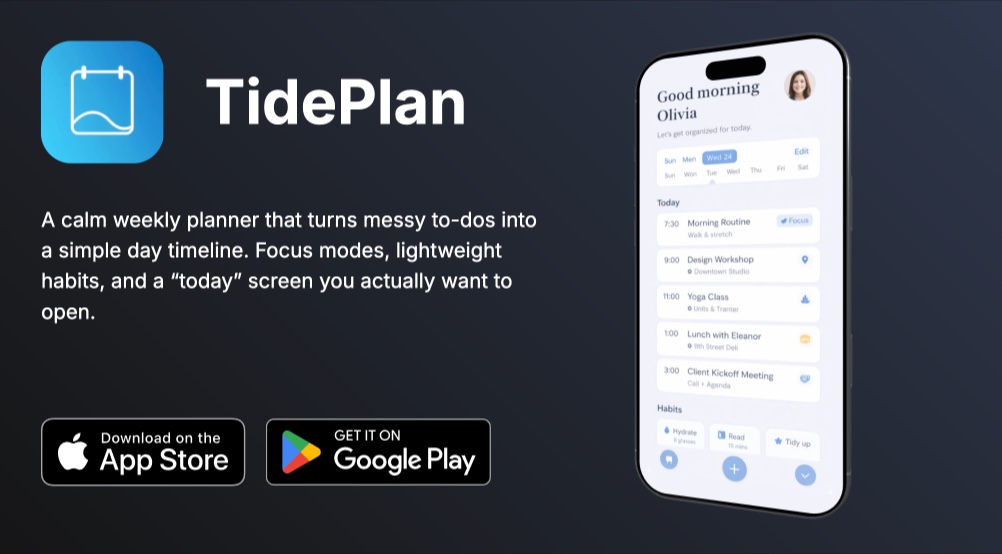
Mobile Apps Portfolio - 3D iPhone Showcase Template
Mobile app developers and designers face a unique presentation challenge: screenshots alone do not convey the experience of using an app. Flat images on a white background strip away all the context that makes a mobile app feel real. The Mobile Apps Portfolio template solves this by placing each app inside a rotating 3D iPhone mockup against a carefully chosen dark gradient background, giving every project the visual treatment it deserves.
#What Makes This Template Stand Out
The template follows a focused structure: one app per pane, five panes total. Each pane pairs a full-screen 3D iPhone Air model with an overlay block containing the app name and description. The simplicity is intentional. When you are showcasing mobile apps, the app itself should be the hero, not the presentation framework around it.
- 3D iPhone Air mockups with rotation animations on every pane
- Unique dark gradient backgrounds per app for visual variety
- Alternating 3D-rotate-x and 3D-rotate-y animations across panes
- Parallax depth layers for immersive pane transitions
- Minimal 2-block-per-pane structure keeping focus on the app
- One-click export to HTML, React, video, or CDN
Each pane uses a different dark gradient background - blue-gray, teal-green, forest green, warm brown - that shifts the mood between apps while maintaining visual cohesion. The 3D rotation alternates between X-axis and Y-axis across panes, creating varied motion that keeps the viewer engaged without becoming repetitive. Parallax depth on key elements adds additional layering during transitions.
#Who Should Use This Template
- Mobile app developers building a portfolio to attract freelance clients or full-time positions. Showing your apps in animated 3D device mockups immediately signals technical sophistication and attention to detail - qualities clients look for when hiring developers.
- App design studios presenting completed projects to prospective clients. The dark gradient backgrounds create a premium gallery feel that elevates each app showcase. Walk a client through your portfolio in a meeting, or embed the slideshow on your agency website.
- Indie developers launching apps on Product Hunt or the App Store. Export the slideshow as a video for your launch page gallery, or embed the interactive version on your marketing site. The 3D mockups make a solo project look like it came from a funded studio.
- UX/UI designers showcasing mobile design work in case studies. The rotating device mockup adds depth to design portfolios that flat screenshots lack. Each pane can highlight a different screen or flow within an app, telling the story of your design decisions.
#Best Use Cases
#Developer Portfolio Website
Embed the slideshow on your portfolio site's homepage or projects page. Each pane acts as a mini case study for one app - the 3D mockup provides visual impact while the overlay text delivers the key details. Visitors can autoplay through your entire portfolio or use pagination to jump to a specific project. The dark background integrates well with developer portfolio aesthetics.
#App Launch Marketing Pages
When launching a new app, use a single pane from this template as a hero section on your landing page. The rotating 3D iPhone creates movement that draws the eye to your app screenshot. For apps with multiple features to highlight, use the full multi-pane format to walk visitors through each key screen before they reach the download button.
#Client Presentations and Pitch Decks
Present the slideshow directly from a browser during client meetings. The 3D rotation animations create polished transitions between project showcases that static slides cannot match. Each app gets its own visual moment, making it easy for clients to evaluate your work project by project rather than scrolling through a crowded image grid.
#How to Customize This Template
- Open PaneFlow and select "Mobile Apps Portfolio" from the template gallery
- Replace the placeholder app screenshots on each 3D iPhone model with your own app screens
- Update the app names and descriptions in the overlay text blocks
- Adjust the gradient background colors per pane to complement each app's color palette
- Add or remove panes to match the number of apps in your portfolio
- Customize the rotation angle and animation speed for each 3D model
- Export as HTML for your website, video for social media, or publish to CDN for embedding
#Related Templates
- iPhone 16 Pro - single product deep-dive with parallax transitions
- iPhone 17 Pro - 3D iPhone showcase with dark theme
- Websites Portfolio - desktop and laptop 3D mockups for web projects
- Lime Design - creative agency template with multiple 3D device types
#Related Resources
- PaneFlow for Developers - animated developer portfolios and project showcases
- PaneFlow for Portfolios - professional portfolio presentations
- PaneFlow vs Keynote - how PaneFlow compares for portfolio presentations
Start with Mobile Apps Portfolio
Open this template in PaneFlow, customize it to match your brand, and export as HTML, React, Vue, or video.







