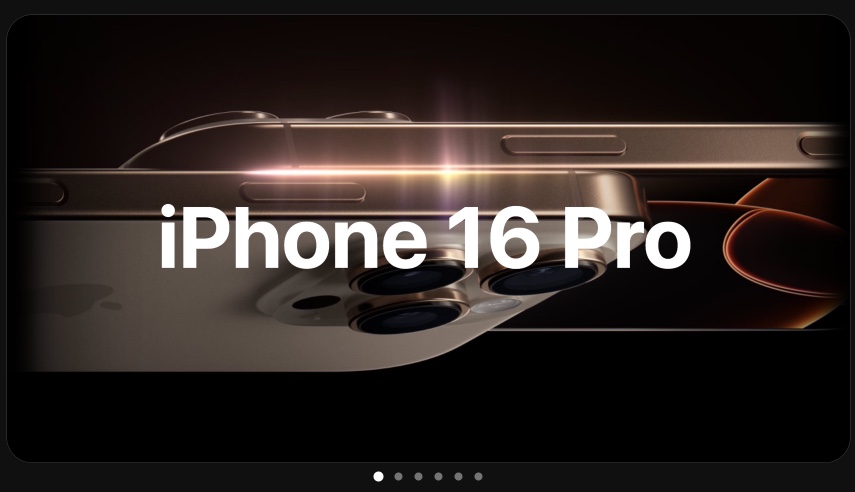
iPhone 16 Pro - Animated Product Launch Template
When you are launching a mobile app or showcasing a product feature, static screenshots do not do it justice. Visitors scroll past flat images. They stop for motion. This template puts your product inside a realistic iPhone frame with smooth parallax transitions between each feature highlight, turning a passive gallery into an interactive product reveal.
#What Makes This Template Stand Out
The iPhone 16 Pro template is built around one idea: show your product the way it actually feels to use. Instead of pasting screenshots into a static mockup, this template animates between screens with depth and motion. Each pane transitions with a parallax effect that creates the impression of physically swiping through your app.
- Parallax scroll transitions with multi-layer depth
- Smooth block entrance animations with zoom effects
- Responsive grid layouts for feature highlights
- Light theme with clean, modern typography
- 6-pane structure with 3-second autoplay timing
- One-click export to HTML, React, video, or CDN
The template uses a 16:9 aspect ratio with a light theme, keeping the focus on your product screens. Blocks enter from the right and bottom with staggered timing, giving each element its own moment. The zoom animation on the opening pane creates a cinematic first impression before the product reveal begins.
#Who Should Use This Template
- App developers launching a new iOS app who need a polished product showcase without hiring a designer. Drop in your screenshots, adjust the text, and you have a professional launch page in minutes.
- Startups building investor decks or Product Hunt launches. An animated product walkthrough inside a device mockup communicates product quality better than any slide deck.
- Marketing teams creating product landing pages. Embed the slideshow on your website to show features in motion instead of static images.
- Freelancers and agencies pitching app designs to clients. Present mockups in an animated, interactive format that demonstrates how the final product will feel.
#Best Use Cases
#Product Hunt and App Store Launches
The visual impact of an animated device showcase is exactly what stands out on launch platforms. Product Hunt galleries are crowded with static screenshots. An embedded PaneFlow slideshow with parallax transitions between feature screens grabs attention immediately. Export the same project as video for your gallery media, then publish to CDN for your landing page - one project, two formats.
#Mobile App Marketing Pages
Your app's website should show what the product does, not just describe it. Embed this slideshow above the fold and let visitors experience the app flow before they download. The responsive layout means it works on desktop marketing pages and mobile browsing alike. When you ship a new feature, update the screenshots and republish - every embed on your site refreshes automatically.
#Investor Pitch Decks
Investors see dozens of app pitches weekly. Most show flat screenshots on a white slide. Presenting your app inside an animated device mockup with smooth transitions between feature highlights creates a dramatically different impression. Export the slideshow as video for email follow-ups, or present it directly from the browser during meetings.
#How to Customize This Template
- Open PaneFlow and select "iPhone 16 Pro" from the template gallery
- Click any placeholder screenshot and upload your own app screens
- Edit the text blocks to match your product messaging and feature descriptions
- Adjust the parallax depth values to control how much layered motion you want
- Customize the color palette and typography to match your brand
- Preview the autoplay to check pacing and flow
- Export as HTML for your website, video for social media, or publish to CDN for embedding
#Related Templates
- iPhone 17 Pro - latest iPhone model with dark theme and 3D device mockup
- AirPods Max - premium product reveal with deep parallax layers
- Product Launch - t0ggles - SaaS product launch with 3D animations
- Mobile Apps Portfolio - multi-app showcase layout
#Related Resources
- PaneFlow for Startups - animated pitch decks and product launch slideshows
- PaneFlow for Product Launches - dramatic product reveal slideshows
- PaneFlow vs Canva - how PaneFlow compares for product presentations
Start with iPhone 16 Pro
Open this template in PaneFlow, customize it to match your brand, and export as HTML, React, Vue, or video.







