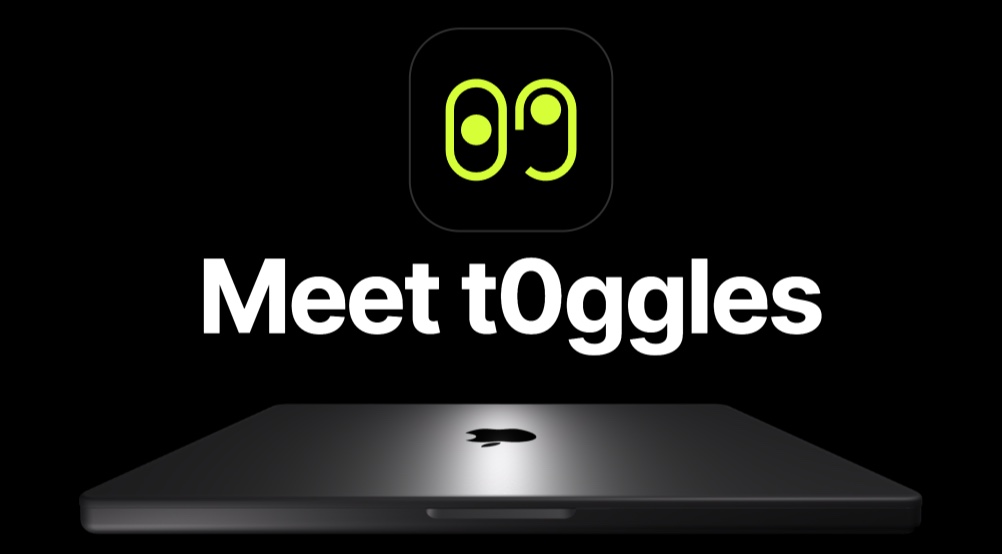
Product Launch - SaaS Animated Slideshow Template
Most SaaS product launches rely on the same formula: a landing page with a hero section, three feature blocks, a pricing table, and a footer CTA. This template breaks that pattern with a 14-pane animated slideshow that walks visitors through your product story with cinematic 3D effects, spin animations, and layered transitions. It is the most animation-rich template in the PaneFlow library, designed specifically for teams that want their launch to feel like an event.
#What Makes This Template Stand Out
This is PaneFlow's most complex template - 14 panes with a combination of animation types you will not find in any other template. The 3D laptop mockup rotates on the Y axis to reveal your product interface. Spin animations add continuous motion to decorative elements while pop animations bring feature callouts into view with impact. The overall effect is a product launch that feels choreographed, not assembled.
- 14-pane deep-dive structure for comprehensive product storytelling
- 3D laptop mockup with Y-axis rotation for product reveals
- Spin animations for dynamic, continuous decorative motion
- Pop entrance animations for impactful feature reveals
- Dark theme with faster 850ms transitions for energetic pacing
- Group elements with nested shape animations for complex layouts
The faster transition timing (850ms vs the standard 1000ms) and tighter block delay (20ms) give this template an energetic, purposeful pace. Each pane transition feels deliberate and quick, matching the excitement of a product launch. The varied grid layouts - from full-bleed hero shots to 3-column and 6-column grids - prevent visual monotony across all 14 sections.
#Who Should Use This Template
- SaaS founders launching a new product or major feature update. The 14-pane structure gives you room to cover the problem, solution, features, use cases, and social proof in a single, shareable experience. No more cramming everything into a static landing page.
- Product marketing teams building launch campaigns that need to work across multiple channels. Create the slideshow once, then export as video for social media, publish to CDN for your website, and present from the browser at launch events.
- Startup teams preparing for Product Hunt, Hacker News, or beta launches. The 3D mockup and spin animations create visual differentiation that helps your product stand out in crowded launch platforms.
- Developer tool companies that want to showcase technical products with polish. The dark theme and 3D device mockup communicate technical sophistication without requiring a design team.
#Best Use Cases
#SaaS Product Launch Pages
The primary use case: embed this slideshow as the centerpiece of your product launch page. The 14-pane structure replaces the typical long-scroll landing page with an interactive experience that keeps visitors engaged. Start with a dramatic 3D product reveal, walk through features with animated pop-ins, and close with a strong call to action. The autoplay option means visitors can lean back and watch, or they can navigate manually to control the pace.
#Product Demo Videos
Export the entire 14-pane slideshow as an MP4 video and you have a polished product demo ready for YouTube, social media, or investor emails. The spin animations and 3D mockup transitions produce video-quality output without a video editor, screen recorder, or post-production pipeline. When your product updates, edit the slideshow and re-export - no need to reshoot.
#Conference Talks and Webinars
Presenting a SaaS product at a conference or during a webinar typically means screen-sharing a live demo (risky) or showing static slides (boring). This template gives you a third option: a choreographed product walkthrough with 3D rotations and animated reveals that runs reliably in any browser. The hidden pagination keeps the interface clean for an audience, and the manual navigation gives you full control over pacing during Q&A.
#How to Customize This Template
- Open PaneFlow and select "Product Launch - t0ggles" from the template gallery
- Replace the laptop mockup screenshots with your own product interface captures
- Update the 3D rotation angles to show your product from the most flattering perspective
- Edit all text blocks with your product name, tagline, feature descriptions, and value propositions
- Customize the spin animation elements with your brand colors or logo shapes
- Add or remove panes to match the depth of your product story - 14 is comprehensive, but you can trim to 8-10 for a tighter presentation
- Adjust the transition timing if you want a slower, more deliberate pace (increase from 850ms to 1000-1200ms)
- Export as video for social sharing, HTML for your website, or publish to CDN for embedding
#Related Templates
- iPhone 16 Pro - mobile product showcase with parallax transitions
- iPhone 17 Pro - 3D device mockup with dark theme for phone products
- AirPods Max - premium hardware product reveal with deep parallax
- PaneFlow Intro - shorter animated product introduction
#Related Resources
- PaneFlow for SaaS Teams - onboarding, feature tours, and product marketing slideshows
- PaneFlow for Startups - pitch decks and launch presentations
- PaneFlow vs Gamma - how PaneFlow compares for product presentations
Start with Product Launch
Open this template in PaneFlow, customize it to match your brand, and export as HTML, React, Vue, or video.







