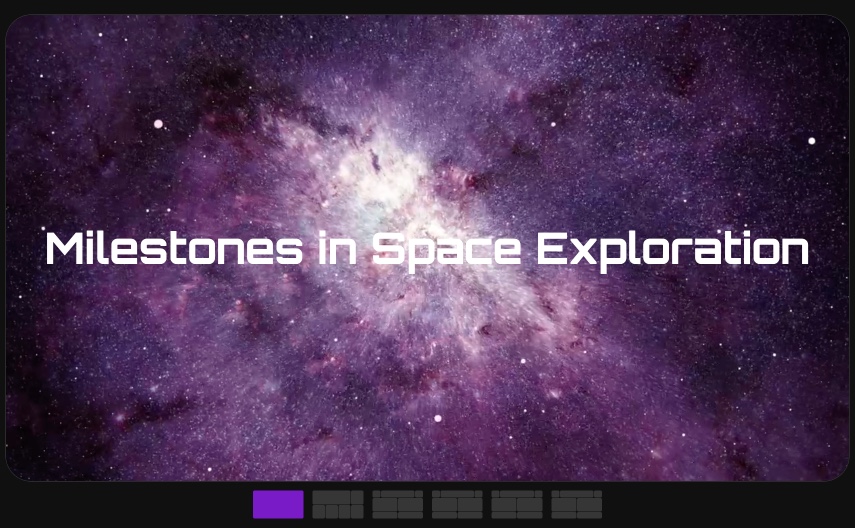
Milestones in Space Exploration - Timeline Storytelling at Its Best
Turn chronological events into an immersive visual journey. This template maps key moments in space exploration history across 6 panes, using the futuristic Orbitron font, space photography backgrounds, and thumbnail navigation to create a timeline presentation that viewers can explore at their own pace or watch on autoplay.
#What Makes This Template Stand Out
Timeline presentations often fall flat because they try to pack too much information onto a single horizontal line. This template takes a fundamentally different approach - each milestone gets its own full-viewport pane with space-themed backgrounds (including video), large date displays, and dedicated description cards. The result feels less like reading a timeline chart and more like stepping into each moment.
The Orbitron font is the perfect typographic choice for a space theme. Its geometric, futuristic letterforms give dates like "1969" and "2024" a sense of technological precision that matches the subject matter. These date displays are set at large scale, serving as both information and visual design elements that anchor each pane's composition. Cyan, tan, and light blue accent colors provide variety across panes while maintaining a cohesive space-age palette against the dark backgrounds.
Thumbnail pagination at the bottom lets viewers see all 6 panes at a glance and jump to any milestone directly. The active pane thumbnail is highlighted in purple, while inactive ones sit at reduced white opacity. Combined with directional right-to-left transitions and a 20-millisecond block delay for staggered element entry, the navigation feels polished and intentional.
- 6 panes with 51 blocks structured as a chronological timeline
- Orbitron futuristic font for date displays with geometric precision
- Space-themed background video and imagery creating an immersive atmosphere
- Thumbnail pagination with purple active state for direct pane navigation
- Directional right-to-left transitions with 20ms staggered block delay
- Custom pagination colors with purple active and translucent white inactive states
#Who Should Use This Template
- Educators and trainers building timeline-based lesson content where each milestone deserves its own visual context and narrative
- Corporate communications teams creating company history presentations for annual reports, investor decks, or employee onboarding materials
- Event planners documenting event milestones or building countdown-style previews for upcoming launches
- Content creators producing educational or documentary-style visual content about historical events or industry evolution
#Best Use Cases
#Company History and Milestones
Replace the space dates with your company's founding year, product launches, funding rounds, and expansion moments. Each pane becomes a chapter in your company story, with the background images swapped for company photos, product screenshots, or team celebrations. The thumbnail navigation lets stakeholders jump to specific milestones during board presentations.
#Product Evolution Timelines
Show how your product has evolved through major versions or feature releases. Use dates for each significant update, background images for screenshots of the product at each stage, and the description cards for release notes or user impact statistics. The chronological flow makes complex product histories easy to follow.
#Educational Content and Presentations
Build lesson content around historical events, scientific discoveries, or industry evolution. The full-viewport pane treatment gives each topic the visual space it needs for meaningful engagement. Students can navigate via thumbnails to jump between topics, and the autoplay mode works for unattended display in classrooms or exhibits.
#How to Customize This Template
- Open the template in the PaneFlow editor and review the 6-pane timeline structure
- Replace the year labels (1957, 1969, 1988, 2021, 2024) with your own milestone dates
- Swap the space photography backgrounds with images relevant to your timeline topic
- Edit the description text blocks with your milestone titles and summaries
- Adjust the Orbitron font if a different typeface better suits your subject - or keep it for a modern, technical feel
- Modify the pagination highlight color from purple to your brand color in the slideshow settings
- Export as HTML for website embedding, as a React/Vue component for app integration, or as video for standalone sharing
#Related Templates
- Photos Grid - a visual grid layout with overlay text, ideal for image-heavy content
- Testimonials - a structured content presentation with author photos and quote layouts
- Movie Posters - a paginated showcase with Bebas Neue typography and dark cinema theme
- Commercial Properties - background video panes with a polished dark presentation style
#Related Resources
- PaneFlow for Educators - building interactive educational presentations and lesson content
- PaneFlow for Content Creators - creating engaging visual stories and educational content
- PaneFlow vs. Google Slides - how PaneFlow's visual timeline capabilities compare to traditional slide decks
Start with Milestones in Space Exploration
Open this template in PaneFlow, customize it to match your brand, and export as HTML, React, Vue, or video.







