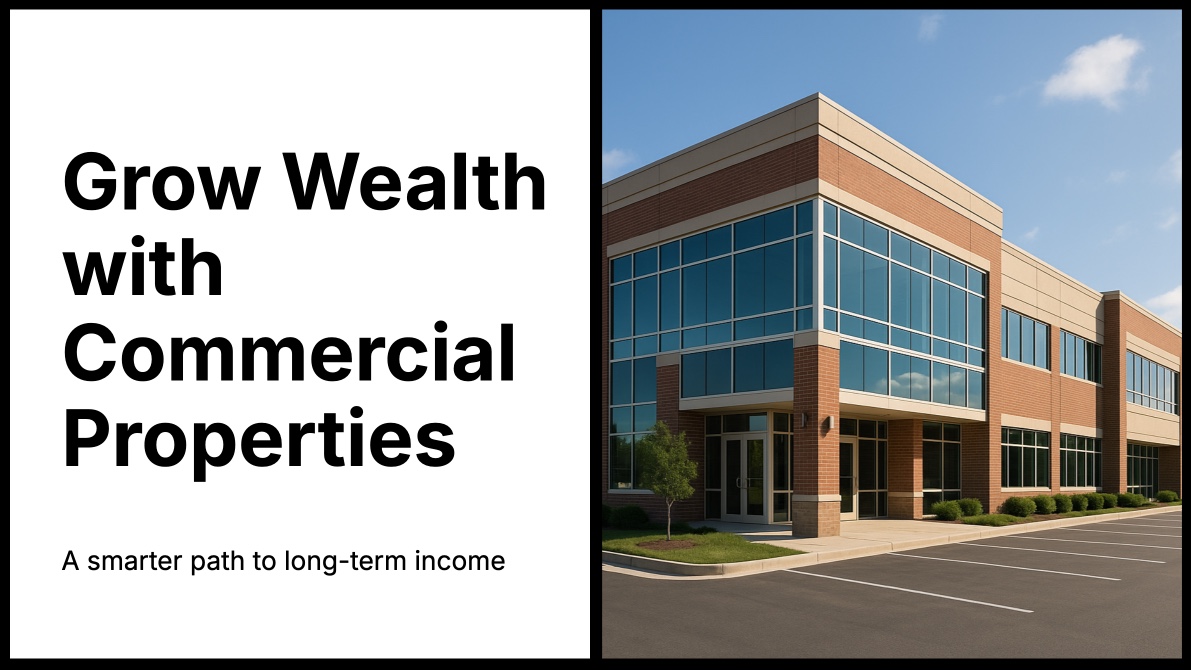
Real Estate Property Showcase - Animated Slideshow Template
Listing photos in a grid only tell part of the story. A commercial property has scale, atmosphere, and flow between spaces that static images struggle to capture. The Commercial Properties template turns property presentations into cinematic experiences. With 9 panes, background videos, and smooth directional transitions, it gives real estate professionals a presentation format that matches the premium nature of commercial listings.
#What Makes This Template Stand Out
The template is designed around the way people evaluate commercial real estate. Instead of cramming every photo onto a single page, each pane focuses on a specific aspect of the property - the exterior approach, lobby entrance, office floors, amenities, and key specifications. Background videos on 4 of the 9 panes add motion to what would otherwise be static presentations, letting you show walkthrough footage, aerial drone shots, or time-lapse views of the property throughout the day.
- Background videos across 4 panes for walkthrough and drone footage
- Background images and videos on all 9 panes for full-bleed property visuals
- Directional transitions that guide viewers through the property naturally
- Clean Inter typography for professional property details and specifications
- Autoplay with 3-second timing for hands-free client presentations
- Dark theme that lets property photography take center stage
The transition system creates a spatial navigation effect. Blocks enter from the right and exit to the left, mimicking the natural flow of walking through a building. Some panes use vertical transitions - entering from the top and exiting downward - which works particularly well when transitioning between floors or shifting from exterior to interior views.
#Who Should Use This Template
- Commercial real estate agents presenting office spaces, retail locations, or industrial properties to prospective tenants and buyers. The cinematic format elevates standard listing presentations and helps clients visualize spaces before scheduling in-person tours.
- Property management companies showcasing their portfolio of managed properties. Each pane can highlight a different building or unit, with background videos demonstrating common areas, amenities, and neighborhood context.
- Real estate developers pitching new developments to investors. The background video support is ideal for showing construction progress, architectural renderings, and site walkthroughs. The autoplay timing keeps investor presentations moving at a comfortable pace.
- Luxury residential agents who need presentation materials that match the caliber of high-end listings. The dark theme and cinematic transitions create a premium feel that standard MLS photo galleries cannot deliver.
#Best Use Cases
#Client Listing Presentations
Embed the slideshow on your property listing page as the primary visual showcase. The autoplay cycles through exterior shots, interior spaces, floor plans, and neighborhood highlights without requiring the viewer to click through a gallery. Background videos show the property in context - traffic flow, natural lighting changes, or common areas in use - giving prospective tenants information that photos alone cannot communicate.
#Investor Pitch Decks
When presenting a commercial property investment opportunity, the template's structure maps naturally to the evaluation criteria investors care about. Dedicate panes to location overview, building specifications, tenant mix, financial projections, and comparable sales. The directional transitions maintain a professional narrative flow, and the 3-second autoplay keeps the pitch moving without rushing through critical details.
#Virtual Tours for Remote Clients
For clients evaluating properties from another city, export the slideshow as a video and send it as a pre-tour preview. The background video panes can include drone footage of the surrounding area, interior walkthroughs recorded on a gimbal, and time-lapse footage showing the property at different times of day. This gives remote clients a far richer understanding than a standard photo gallery.
#How to Customize This Template
- Open PaneFlow and select "Commercial Properties" from the template gallery
- Replace the background images with professional photos of your property
- Upload walkthrough or drone footage to the 4 background video slots
- Update the text blocks with your property name, address, specifications, and pricing
- Adjust the number of panes to match the scope of your listing
- Set the autoplay timing based on your presentation context - shorter for social media, longer for client meetings
- Export as HTML for your website, video for social sharing, or present directly from the browser
#Related Templates
- Seaglass Yachts - luxury product showcase with nautical-themed design and elegant typography
- Projects Portfolio - multimedia showcase with background videos and image grids
- Outdoor Adventure - nature photography slideshow with warm earth tones and light theme
- Fashion Week Showcase - dramatic visual showcase with bold color accents
#Related Resources
- PaneFlow for Ecommerce - product showcases and visual selling tools
- PaneFlow for Marketers - marketing presentations and campaign visuals
- PaneFlow vs Canva - how PaneFlow compares for professional visual presentations
Start with Commercial Properties
Open this template in PaneFlow, customize it to match your brand, and export as HTML, React, Vue, or video.







