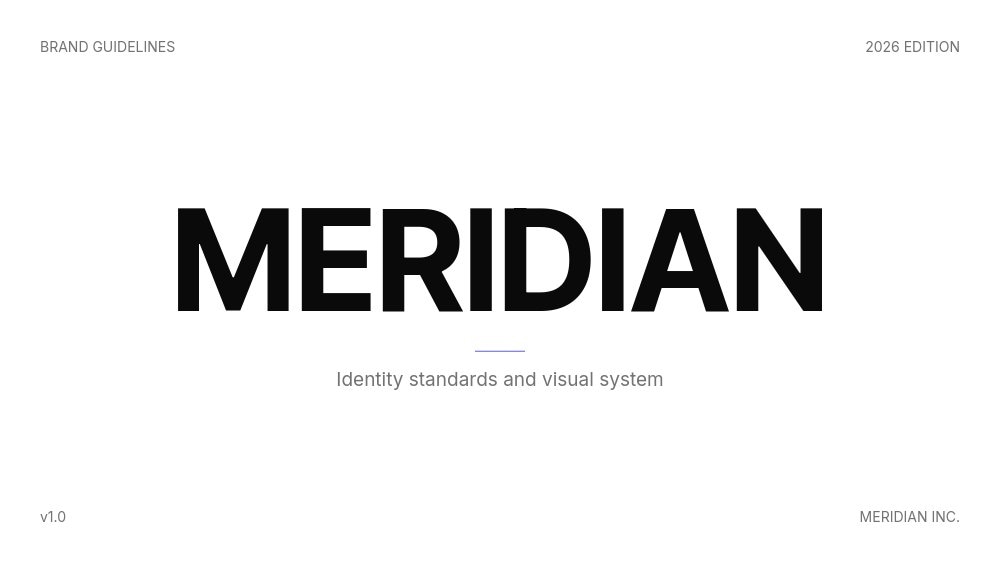
Brand Guidelines Template - Animated Brand Book
A brand book should look like the brand it documents. This template gives you a complete 10-pane brand guidelines artifact, ready to be re-skinned with your own logo, palette, and typography. It ships in a Linear-style minimal aesthetic so the structure is honest about its purpose, then steps out of the way the moment you start replacing the placeholders.
#What Makes This Template Stand Out
The template is built as a configurable scaffold rather than a finished design. Every pane is a brand-system slot: cover wordmark, brand story manifesto, logo system with clear-space and minimum-size diagrams, color system swatch grid, typography specimens, voice attributes, photography mood grid, iconography samples, brand application mockups, and a "don'ts" pane with crossed-out misuse examples. You replace each slot with your own brand, and the template behaves like a real brand book the entire way.
The logo system pane on slide three is a good example of how the structure works. Three columns show the primary mark, the clear-space rule (with dashed margin shape outlines), and the minimum-size scale, each with a short label underneath. When you swap the wordmark, the diagrams stay intact, so the rules keep teaching even after the brand changes. The same shape-driven approach powers the don'ts pane on slide ten, where four misuse examples (don't rotate, don't recolor, don't underline, don't restyle) sit under crossed-out marks.
Motion is intentionally minimal. This is a reference document, not a presentation, so transitions are fade-only and entrances are quiet. The goal is for stakeholders to land on a pane, read the rule, and move on without animations getting between them and the system.
- 10-pane brand book covering logo, color, type, voice, photography, iconography, applications, and don'ts
- Configurable Linear-style scaffold designed to be re-skinned with your brand system
- Shape-driven diagrams for logo clear-space, minimum-size, and don'ts crossed-out marks
- Six-cell color system grid with editable swatches, labels, and hex values
- Typography pane with full alphabet specimens for heading and body fonts
- Fade-only animation pacing tuned for a reference document rather than a pitch
#Who Should Use This Template
- In-house brand and design teams rolling out a new identity to internal stakeholders, partners, and vendors who need a single artifact to point at.
- Agencies delivering a brand system as part of an identity engagement, where the brand book is a deliverable in its own right alongside the logo files and asset library.
- Founders and operators at startups consolidating an ad-hoc visual identity into a documented system before the next hire or launch.
- Marketing leaders standardizing how external contractors apply the brand, especially across social, packaging, and partner co-marketing.
#Best Use Cases
#Internal Brand Rollout to a Distributed Team
Publish the brand book at an internal URL and link it from the design system docs, the onboarding deck, and the team handbook. New hires get the same level of context as the founding designers, and contractors who never sit in your office can apply the brand consistently without a kickoff call. The fade-only motion keeps the format usable as a reference doc people open repeatedly.
#Agency Deliverable for an Identity Engagement
Hand off the brand book at the end of a brand sprint as the document that carries the identity into the client's day-to-day. Pair it with raw logo files, font licenses, and asset libraries. The 10-pane structure forces a complete handoff conversation: every page that an agency normally sends as a 40-page PDF lives here as a single, navigable, animated artifact.
#Vendor and Partner Brand Reference
Send the public URL to packaging vendors, print shops, and co-marketing partners so they can apply the brand correctly without back-and-forth. The don'ts pane in particular saves rounds of revision because it shows misuse cases up front instead of catching them in proof reviews.
#How to Customize This Template
- Open PaneFlow and select "Brand Guidelines - Brand Book" from the template gallery
- Replace the cover wordmark with your brand's logotype and update the year and edition label
- Rewrite the brand story manifesto on pane two in your own voice
- Swap the logo system pane diagrams to use your real primary mark, clear-space ratio, and minimum-size scale
- Update the six-cell color grid with your brand swatches, names, and hex values
- Replace the typography specimens with your heading and body fonts and update the alphabet examples
- Edit the voice and tone pane with your three brand voice attributes and do/don't list
- Drop in your own photography on the four-image mood grid and update the application mockups
- Customize the don'ts pane with the misuse cases that matter most for your brand
- Export as PDF for stakeholder distribution, or publish to a permanent URL for ongoing reference
#Related Templates
- Creative Agency Deck - Magazine - editorial pitch deck for agency capabilities and case work
- Sales Proposal - Services Agency - companion proposal format for client engagements
- Digital Storyteller - editorial personal brand template for individual identity work
- Lime Design - bold, vibrant design studio template with strong typographic moments
#Related Resources
- PaneFlow for Agencies - brand books, capability decks, and client deliverables
- PaneFlow for Designers - portfolio, brand system, and case study formats for design work
- PaneFlow vs Canva - how PaneFlow's animated brand book goes beyond static templates
Start with Brand Guidelines - Brand Book
Open this template in PaneFlow, customize it to match your brand, and export as HTML, React, Vue, or video.







