
New Export Option: Next.js
Your PaneFlow slideshows can now export as fully scaffolded Next.js projects.
Not just a component file - a complete, runnable project. Download the ZIP, run npm install && npm run dev, and your slideshow is live on localhost:3000. No config, no guesswork.
#Why Next.js?
We already support exporting to React, Vue, and Svelte. But if you're building with Next.js (and a lot of you are), dropping a plain React component into an App Router project means dealing with 'use client' boundaries, import paths, and TypeScript config on your own.
The new Next.js export handles all of that for you:
- App Router with proper
'use client'directive on the slideshow component - TypeScript out of the box - typed refs, typed props, zero red squiggles
- Server/client split done right - the page is a Server Component, the slideshow is a Client Component
- Next.js 15+ compatible with React 19
#What You Get
The exported project is minimal and clean:
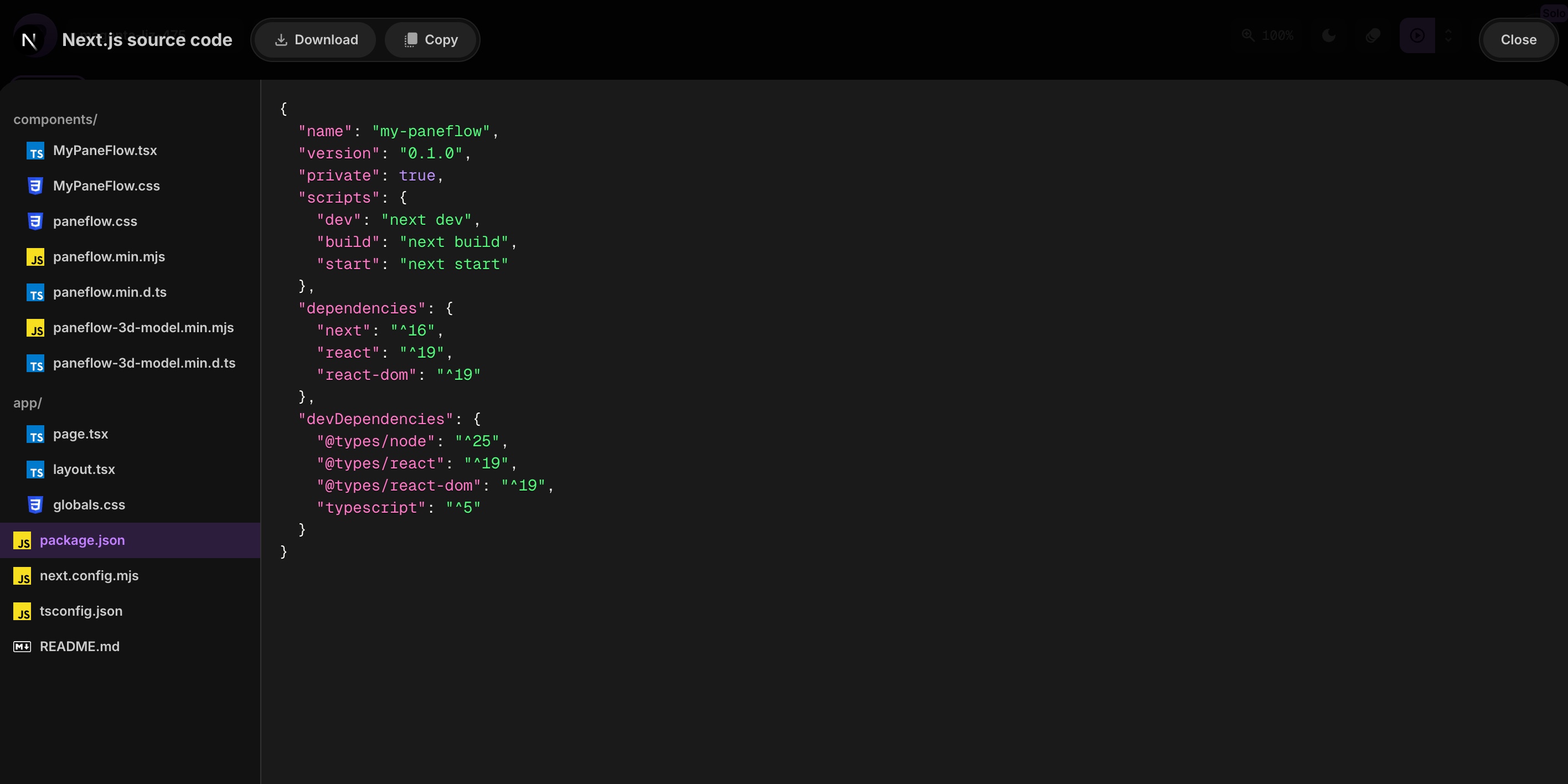
my-paneflow/package.jsonnext.config.mjstsconfig.jsonapp/layout.tsxpage.tsxglobals.csscomponents/MyPaneFlow.tsx # Your slideshow (Client Component)MyPaneFlow.css # Scoped stylespaneflow.css # Library stylespaneflow.min.mjs # Library codeREADME.md
Everything lives where you'd expect it. The component is in components/, the page imports it, and the layout wraps everything with a clean HTML shell.
#How to Export
#View Source Code
Open the Export / Share panel and click the Next.js icon in the Source Code section. You'll get a full preview of every generated file right inside PaneFlow.
#Download the Project
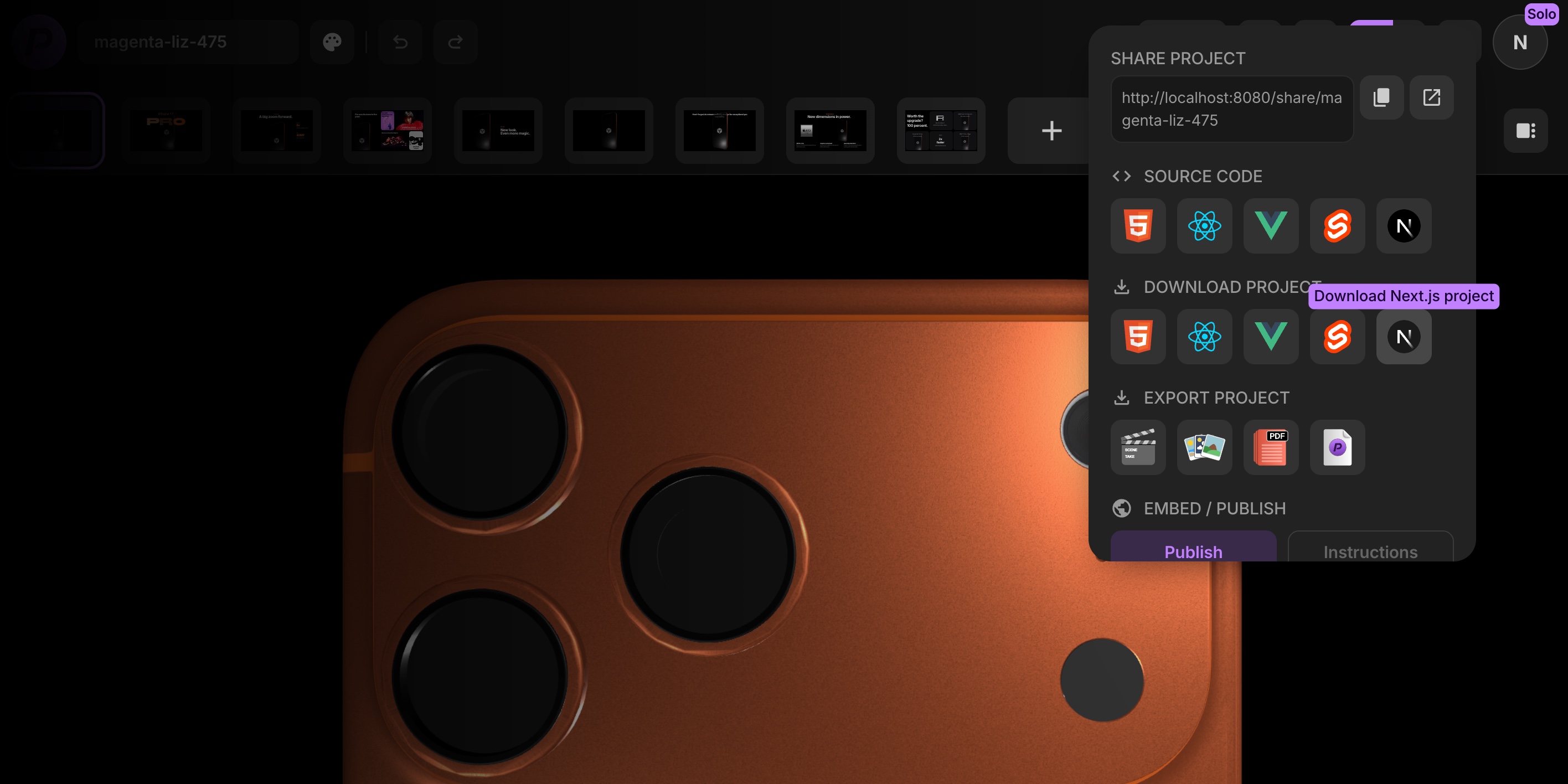
Click the Next.js icon in the Download section to grab a ZIP archive.
Unzip it, then:
npm installnpm run dev
That's it. Open http://localhost:3000 and your slideshow is running.
#Everything Exports
All PaneFlow element types work in the Next.js export:
- Text, images, videos
- Shapes and charts
- Code blocks
- 3D models (automatically includes the 3D model library)
- Background images and videos
- Groups
- Click handlers (URL, pane navigation, download, custom functions)
- All animations and transitions
If it works in the editor, it works in the export.
#When to Use What?
| Goal | Best option |
|---|---|
| Drop into an existing Next.js app | Next.js export |
| Drop into a plain React app | React export |
| Need a Vue or Svelte component | Vue / Svelte export |
| Quick embed anywhere | Publish to CDN or iFrame |
| Share a link | Share URL |
#Try It Now
Open any project in PaneFlow, hit Export / Share, and grab your Next.js project. It's ready to ship.
Don't Miss What's Next
Get updates, design tips, and sneak peeks at upcoming features delivered straight to your inbox.







