Bezier Curves and Draw Animation - Freeform Lines That Animate Themselves
Your slideshows just learned to draw.
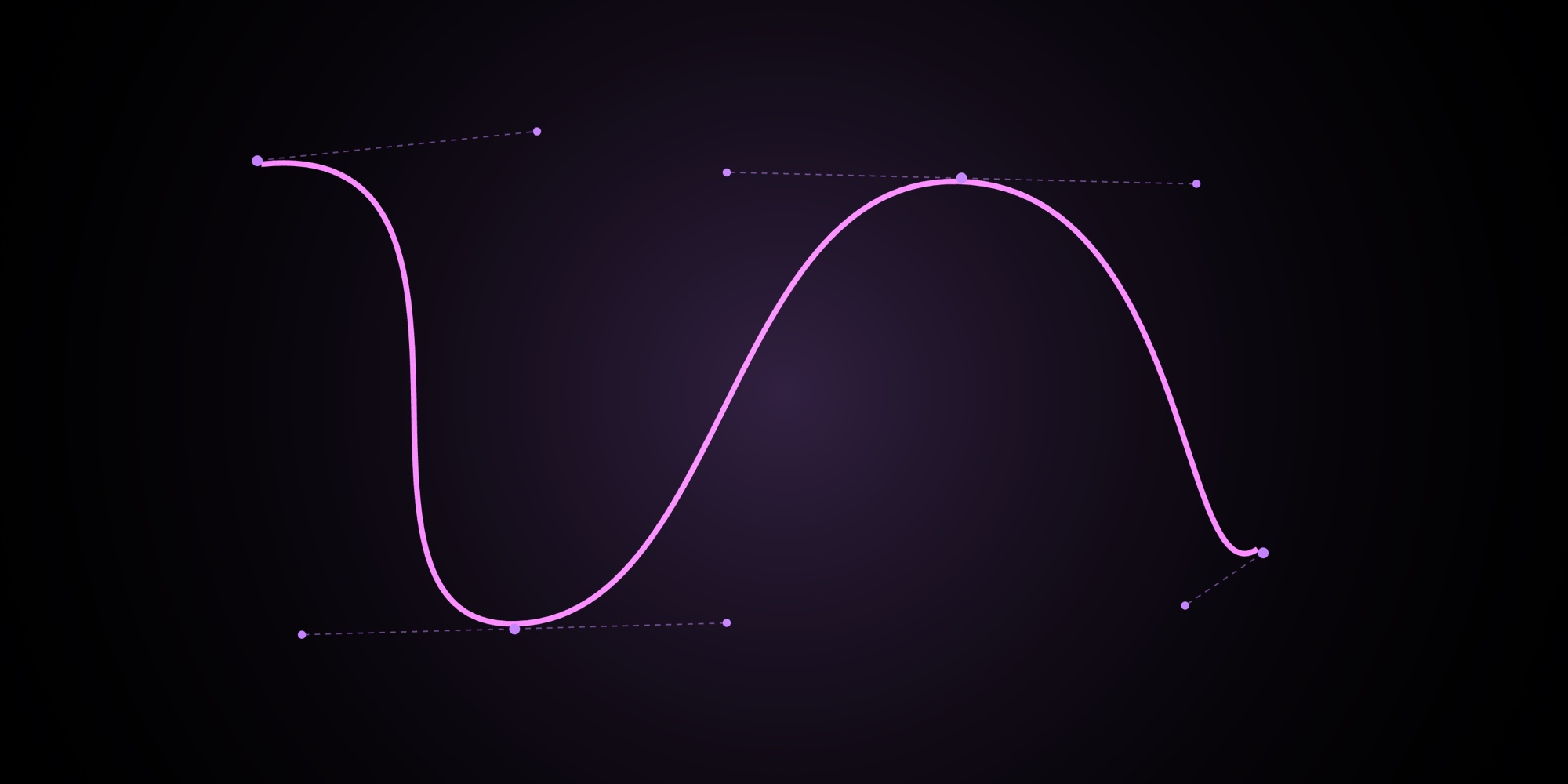
With today's update, PaneFlow introduces bezier curves - smooth, freeform lines you draw point-by-point directly on the canvas - plus a brand-new Draw animation that traces any shape onto the screen as your audience watches.
#Bezier Curves: Smooth Lines, Total Control
Until now, PaneFlow's shape toolkit included straight lines and arrows. Bezier curves add the missing piece: organic, flowing paths that curve exactly where you want them.
#How to Draw a Bezier Curve
- Open the shape picker and select Bezier, Bezier Dashed, or Bezier Dotted.
- Click on the canvas to place your first point.
- Keep clicking to add more points - PaneFlow automatically calculates smooth curves between them using Catmull-Rom interpolation.
- Press Done or hit Escape to finalize the shape.
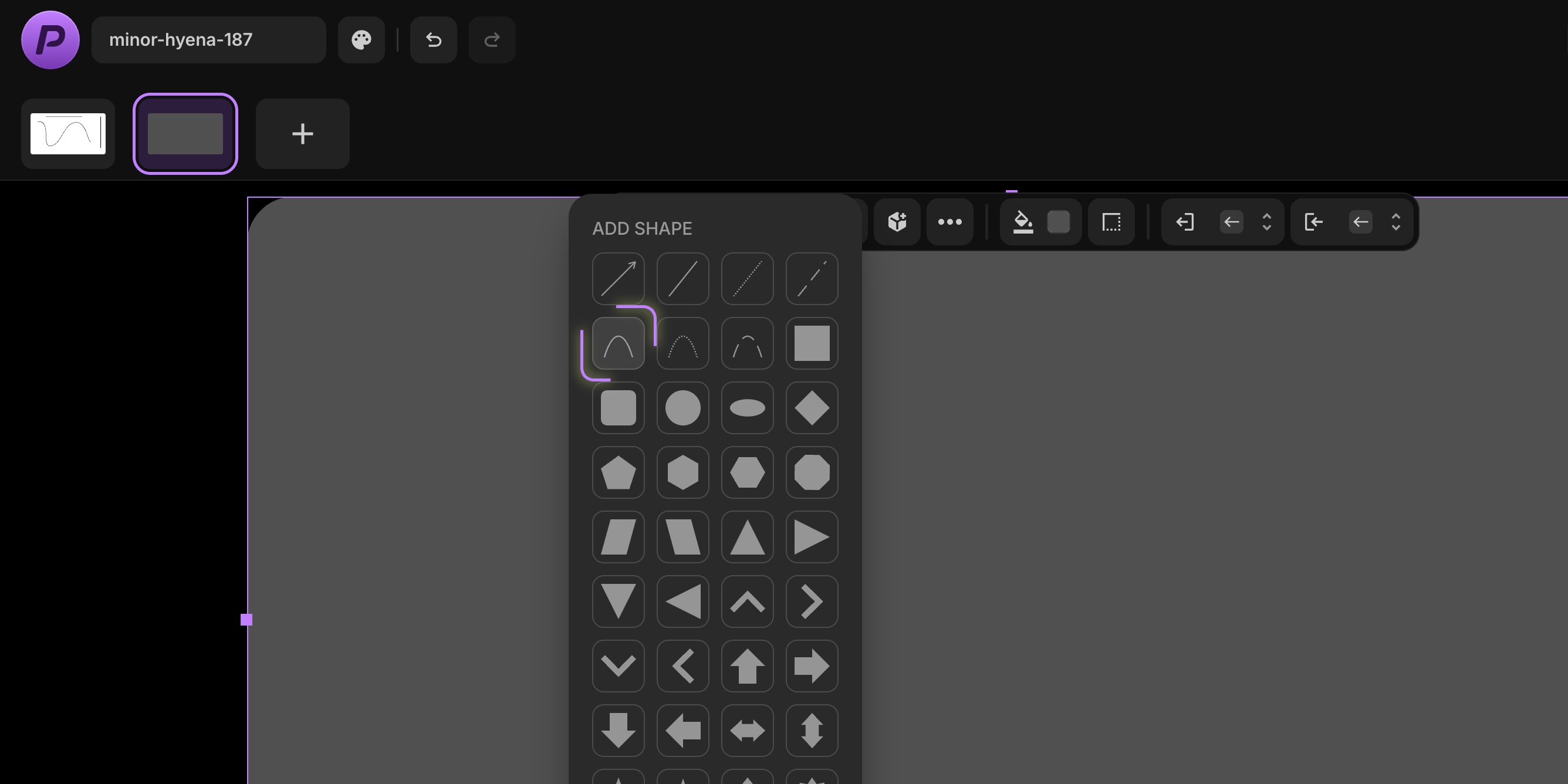
That's it - no need to manually position control handles while drawing. PaneFlow generates natural-looking curves automatically based on your points.
#Fine-Tune Every Point
Once your curve is placed, select it to reveal draggable handles on every point:
- Anchor points - drag to reposition any point along the curve.
- Control handles - drag to adjust the angle and tension of the curve at each point. Guide lines connect anchors to their handles so you can see exactly how the curve will bend.
Every adjustment updates the curve in real time, so you get immediate visual feedback as you shape your path.
#Solid, Dashed, and Dotted
Just like straight lines, bezier curves come in three stroke styles:
| Style | Best for |
|---|---|
| Solid | Clean connection lines, flowing decorative paths, signature-style curves |
| Dashed | Motion paths, planning diagrams, suggested connections |
| Dotted | Subtle guides, secondary relationships, decorative borders |
#Draw Animation: Watch Your Lines Come to Life
The new Draw animation works on every shape in PaneFlow - lines, arrows, bezier curves, circles, stars, polygons, badges, and more. When a pane enters the viewport, the shape traces itself onto the screen - as if an invisible hand is drawing it in real time. The only requirement is that the shape has a border set, since the animation traces the stroke path.
#How It Works
- Select any shape (line, arrow, bezier curve, circle, star - anything).
- Make sure the shape has a border applied.
- Open the Animation settings from the floating toolbar.
- Choose Draw from the animation list.
- Adjust speed and delay to control the pacing.
The draw effect uses SVG stroke animation under the hood, producing smooth motion that works across all browsers and devices.
#What Makes Draw Special
Unlike standard animations like Fade or Drop that move or reveal the entire element at once, Draw is path-aware. It follows the actual geometry of your shape:
- Straight lines trace from start to end.
- Arrows trace the shaft and arrowhead in one continuous stroke.
- Bezier curves follow every twist and turn of your custom path.
- Circles and ellipses sweep around the perimeter.
- Stars, polygons, and badges trace each edge and point in sequence.
The result feels hand-crafted and intentional - exactly the kind of detail that elevates a slideshow from functional to memorable.
#Creative Ideas
Here are a few ways to put bezier curves and draw animation to work:
- Process flows - draw curved connector lines between steps, then animate them so each connection draws itself as the viewer reaches that pane.
- Signature reveals - trace a handwriting-style bezier curve to simulate a signature appearing on screen.
- Data storytelling - use dotted bezier curves as trend lines on data slides, drawing them in to guide the viewer's eye.
- Product tours - connect UI elements with curved arrows that animate to show navigation flow.
- Architectural diagrams - use dashed bezier curves to show spatial relationships that draw themselves into view.
- Highlight rings - draw a circle around a key element and let it animate into place to call attention.
- Rating reveals - place star shapes and let them draw themselves one by one with staggered delays.
#Works Everywhere You Export
Bezier curves and draw animations flow through PaneFlow's existing export pipeline. Every format - HTML, React, Vue, Svelte, video, PDF, and embedded slideshows - renders your curves and animations without any extra configuration.
#Try It Out
Start drawing curves and bringing them to life - get started with PaneFlow and add a new dimension to your slideshows.
#Related Posts
- New in PaneFlow: Shapes for Truly Flexible Design
- Introducing Animations - Bring Every PaneFlow Element to Life
- How Export Works in PaneFlow
Don't Miss What's Next
Get updates, design tips, and sneak peeks at upcoming features delivered straight to your inbox.







